
Shopping for the best WordPress themes for plumbers? Start with a question: a pipe bursts in a customer’s kitchen at 9 pm, they search “plumber near me” on their phone, and your website opens. How many seconds before they can call you?
If the answer is more than ten, your design is costing you jobs. Not because it looks bad. Because a panicked homeowner does not read, compare, or admire. They tap the first number they can reach, and if yours is buried under a hero image and a menu, the job goes to the next plumber on the list.
That is the only filter I used to build this list of the best WordPress themes for plumbers.
I build websites for local trades, so every pick below in this list of the best WordPress themes for plumbers is scored on three things: how fast the design gets a visitor to your phone number, whether it includes the pages a plumbing business actually needs, and how much work it is to run once it is live. Looks come fourth, and only because trust matters when you charge premium rates.
One thing you will notice: most modern picks here are Elementor template kits, not old-style themes. That is a good thing, and I will explain why in a moment. Every pick works with Elementor, most run on free plugins only, and prices are one-time, checked on ThemeForest in November 2026.
At a glance: 9 plumber picks, all Elementor template kits, one-time prices from $19 to $30. Buy Mainsford ($21) for the complete business kit, Plumbora ($30) for the sharpest design, Pipefixed ($20) or Pipo ($19) for the best value. Every pick works with free Elementor, and the only extra cost is hosting and a domain.
On this page:
- What a plumber’s website design must have
- How I picked these themes
- The picks
- Compare the picks at a glance
- The subscription alternative
- What a plumber website really costs in year one
- Bonus: add a sticky call button (copy-paste code)
- Common mistakes when choosing a plumber theme
- How to choose between these picks
- Frequently asked questions
- The short version
What a plumber’s website design must have
Before the picks, the checklist. Score every design below against these five points and the right choice usually picks itself.
An emergency call button, visible immediately. On mobile, above everything else. Not in a menu, not below a slider. A sticky header or a sticky bottom bar with your number is the single highest-earning element on a plumber’s website.
Service pages for the jobs people actually search. Blocked drains, water heaters, leak detection, gas fitting. Each job gets its own page, because nobody searches “plumbing services”, they search the problem they have.
An areas-covered page. “Plumber near me” is really “plumber in my suburb”. A page listing the suburbs and towns you cover is how a small business wins those searches without an advertising budget.
Reviews where a scared visitor can see them. On the homepage and on service pages, not hidden on a testimonials page nobody opens. A burst pipe is a trust decision made in seconds.
A quote form that works on a phone with wet hands. Big fields, few questions, a tap-to-call alternative right beside it. If your form needs pinch-zooming, it is not a form, it is a wall.
How I picked these themes
So you know this is not a copy of somebody else’s list, here is the process.
Step 1: I started from the marketplace, not from other blogs. I went through the plumbing category on ThemeForest and the Elementor kit listings and shortlisted every kit that is actively sold and maintained.
Step 2: I scored each kit against the five-point checklist above. Kits without a clear call path, without service page templates, or without an areas or pricing structure lost points fast, however pretty the demo looked.
Step 3: I checked the real cost. The price on the button is not the whole story. I checked whether the kit needs paid plugins to work, or runs on free plugins only. Every pick below runs on free plugins, and I say so in each review.
Step 4: I checked the prices again at publish time. ThemeForest prices move with sales, so the prices here were verified on the item pages in November 2026. If a kit is on sale when you read this, even better, but do not pay more than the price listed here without checking why.
The picks
1. Mainsford, the complete plumbing business kit ($21)
The most thorough plumbing kit I have seen at any price. Mainsford packs 28 templates around how plumbing and heating businesses actually operate, and it runs on free plugins, so there is nothing else to b.uy.

What’s inside:
- Homepage and full services structure
- Boiler installation pages, for heating businesses
- A dedicated 24/7 emergency page, the page that earns at 9 pm
- Pricing pages, so you can publish guide prices
- Engineers and reviews pages, for trust
- An areas-covered page, for “plumber near me” searches
- Landlord gas safety and care plans pages, which almost nobody else includes
Those last two pages are the reason Mainsford tops this list. If you sell maintenance contracts or landlord work, they alone justify the price, because building them from a generic kit means hours of layout work you do not have.
Best for: established plumbing and heating companies that want the full site in one purchase.
2. Plumbora, clean and modern ($30)
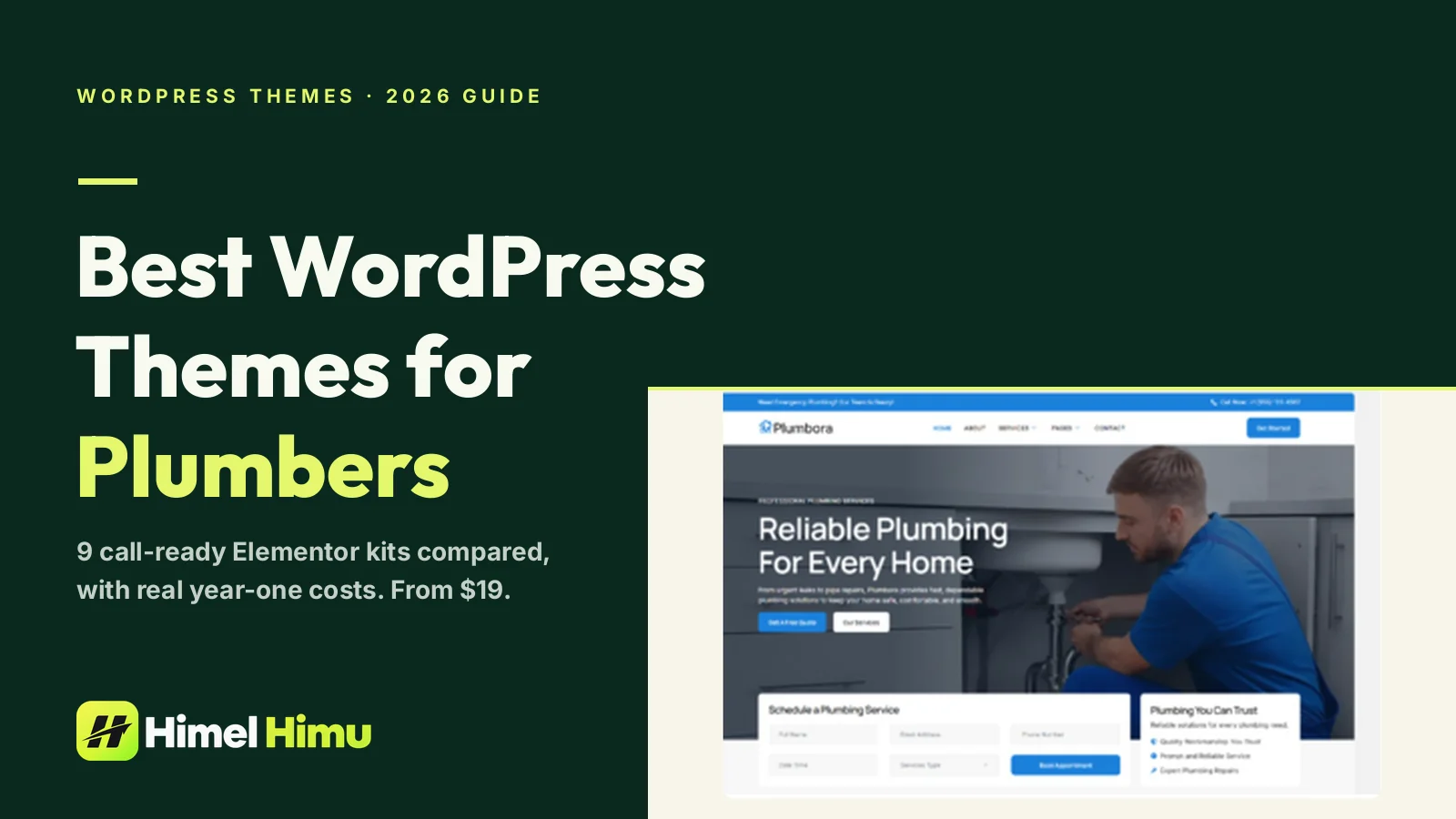
Plumbora is the design pick: a sharp, professional look that suits a company charging premium rates. It is built for the free version of Elementor with ElementsKit Lite, and it imports cleanly onto the Hello Elementor theme.

What’s inside:
- A homepage structure that covers residential and commercial work in one layout
- Service presentation built for a tidy, professional brand
- A booking-style contact flow, the one in the preview below

Choose this when your brand is “the tidy professionals” rather than “the cheapest quote”. At $30 it is the most expensive pick here, and the extra money buys design polish, not extra pages. If budget is tight, Pipefixed below does the same job with less shine.
Best for: plumbers who compete on reputation, not price.
3. Pipefixed, the value all-rounder ($20)
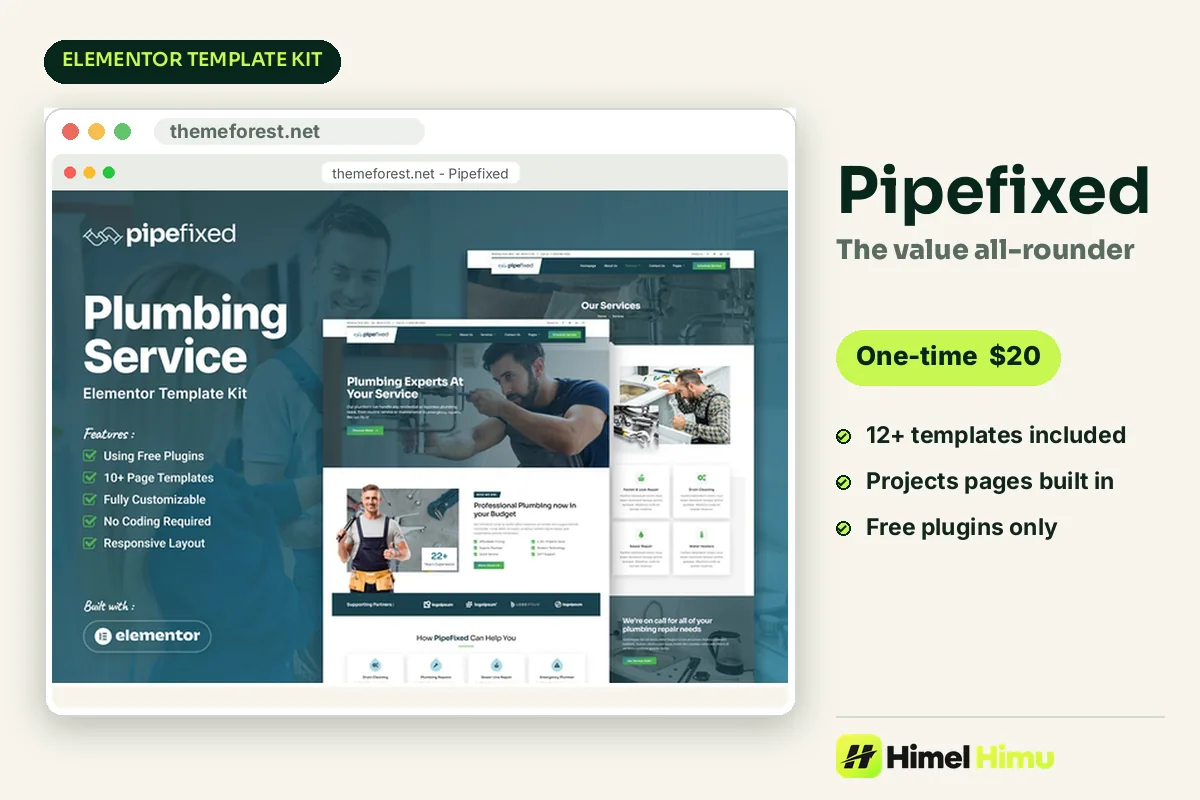
Pipefixed gives you 12+ templates covering the standard plumbing site, with free plugins only. It does not try to be clever, and that is its strength.
What’s inside:
- Home, services and single service templates
- Projects pages, to show finished work
- Contact page with the call path kept simple
It is a solid, good-looking foundation at the lowest complete-kit price in this list. For a first proper website, “solid and finished this weekend” beats “perfect and still in progress” every time.
Best for: a first proper website on a tight budget.
4. Pipero, plumber plus handyman ($29)
Pipero includes 17+ templates and is aimed at businesses that do plumbing and general home repair together.
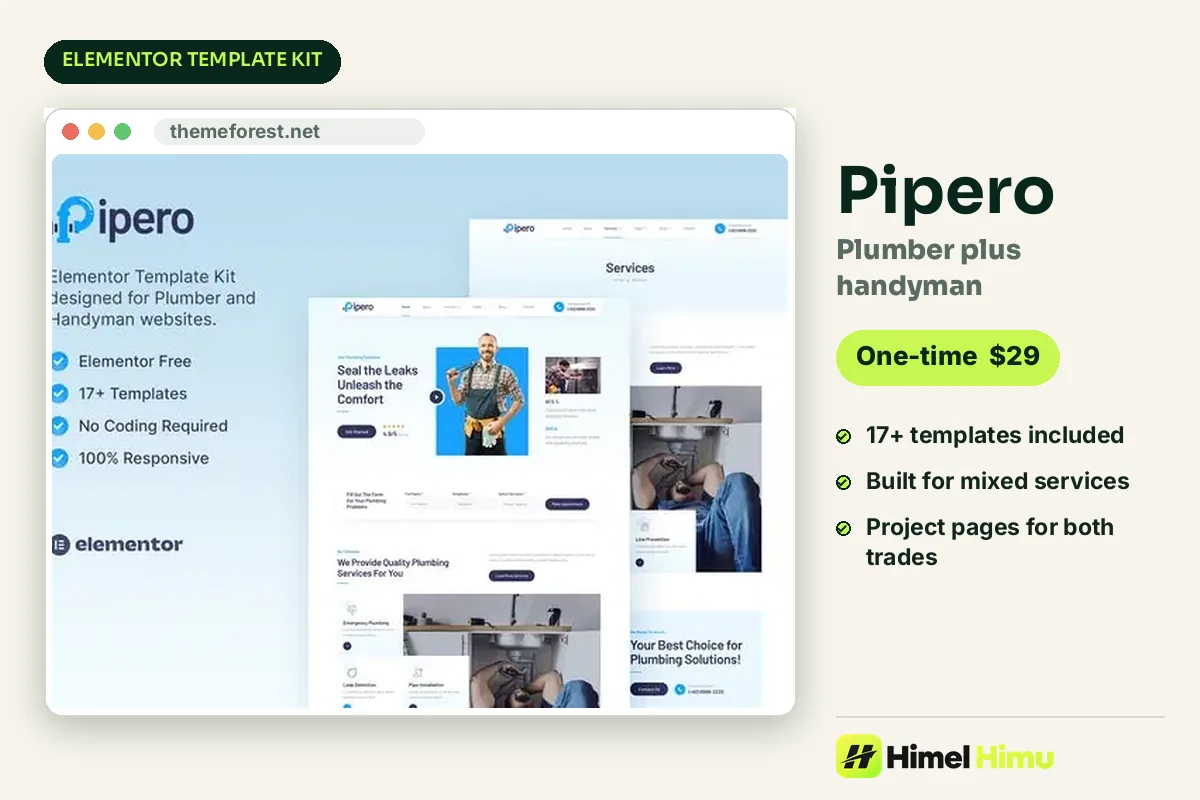
That mixed structure is the whole point. If half your work is handyman jobs, a pure plumbing kit forces awkward compromises: you end up bolting repair services onto pages designed for emergencies. Pipero’s structure already assumes mixed services, with project pages that show both sides of the work properly.
Best for: plumbing and handyman combos.
5. Plumbie, two homepages and a price list ($24)
Plumbie stands out for two practical things.

Two homepage variants. Handy when the owner cannot decide, and useful when you want to test a calmer design against a bolder one.
A proper price list template. Publishing guide prices is the fastest trust-builder a plumber can add, and most kits make you improvise that page from a text block. Plumbie does not.
Best for: businesses ready to publish transparent pricing.
6. Pipo, compact and call-focused ($19)
The cheapest pick here. Pipo covers the essentials using free plugins (it adds PowerPack Lite and Elementor’s header-footer builder).

What’s inside:
- Home, services and single service pages
- A pricing table template
- FAQ and contact pages
The design is simpler than Plumbora’s, but for a one-van operation that needs the phone ringing, simple and fast beats fancy. Spend the money you save on your Google Business Profile photos instead.
Best for: solo plumbers who need the basics done well.
7. Plumba, built for Hello Elementor ($24)
Plumba ships 21 templates tuned specifically for the free Hello Elementor theme and free Elementor, which makes it one of the lightest, fastest-starting options in this list.
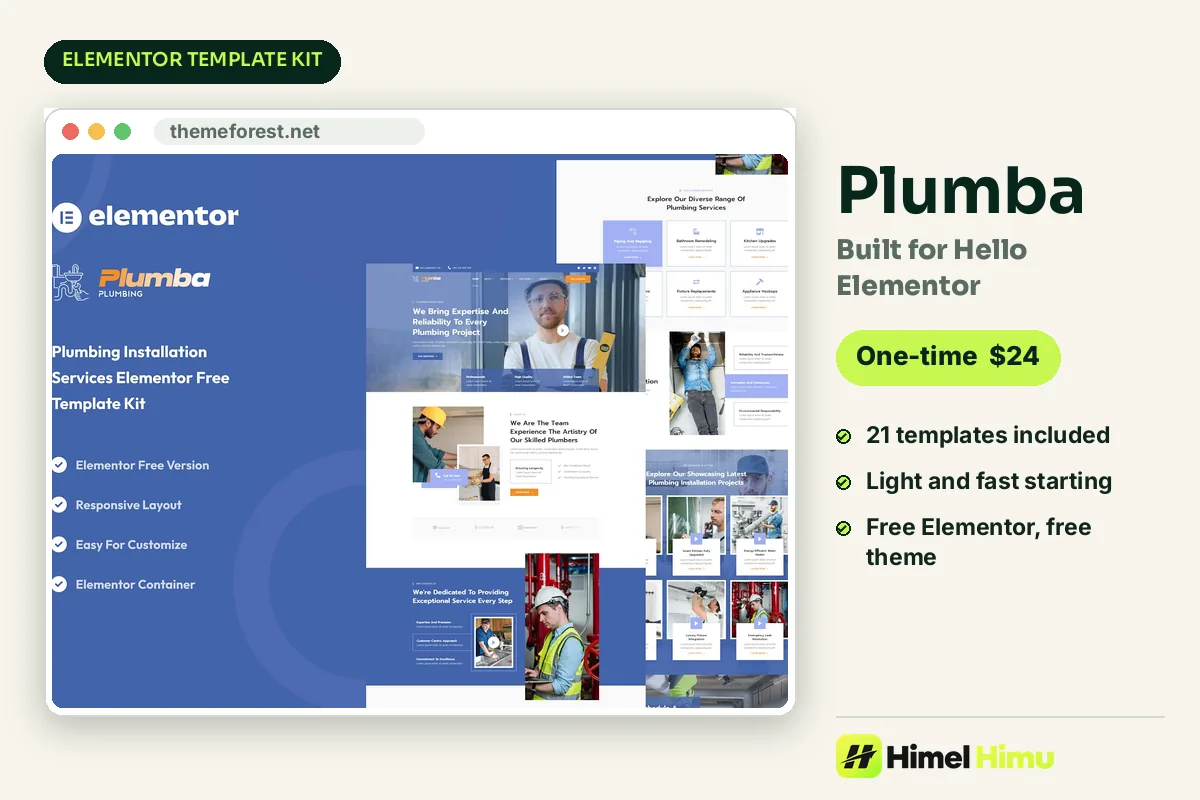
Installation-service businesses are its home ground: bathroom installs, water systems, the considered purchases. Its service and single-service templates suit longer buying decisions rather than emergencies, so if your work is booked weeks ahead instead of called in at midnight, this structure fits you better than an emergency-first kit.
Best for: installation-focused plumbers who care about speed.
8 and 9. Also worth a look: Plumbero and Plumify
Two more established names in the same ThemeForest category. Plumbero is a long-running plumbing and repair kit with a conventional layout that conservative businesses tend to like, and Plumify is a newer, lighter alternative in the same space. If the seven above miss your exact style, start your browsing with these two before widening the search.
Compare the picks at a glance
| Kit | Price (one-time) | Best for |
|---|---|---|
| Mainsford | $21 | Complete business kit, contracts and landlord work |
| Plumbora | $30 | Premium look, reputation-first businesses |
| Pipefixed | $20 | First proper website on a tight budget |
| Pipero | $29 | Plumbing plus handyman work |
| Plumbie | $24 | Publishing transparent prices |
| Pipo | $19 | Solo plumbers, the basics done well |
| Plumba | $24 | Installations, speed and a light build |
Plumbero and Plumify are two more established names in the same category; check their current ThemeForest listings for price and templates before buying.
The subscription alternative
Every pick above is a single purchase on ThemeForest. But there is a second way to buy, and for some readers it is the smarter one.
If you build plumbing sites regularly, or you also need designs for other trades plus stock photos, an Envato Elements subscription gives you a whole library of Elementor kits and assets for a monthly fee instead. My guide to the best Envato Elements themes for local businesses breaks down who should subscribe and who should buy single kits, and the short version is: one site, buy a kit; a pipeline of sites, subscribe.
Warning: the demo photos inside these kits are usually Envato Elements images, not part of the kit purchase. The ThemeForest item pages say so plainly: licence those images through Elements, or replace them with your own photos before launch. Launching with unlicensed demo images is the one mistake that can cost real money after the site goes live.
What a plumber website really costs in year one
Because the kit price is the number everyone stares at, here is the full picture for a DIY build using any pick on this list.
The kit: $19 to $30, one time. That is the design. It is a single payment on ThemeForest, and the licence covers one website.
Hosting: roughly $35 to $50 for the first year. Budget WordPress hosting is enough for a plumbing site. You do not need a managed plan or a VPS to run a template kit.
The domain: roughly $10 to $15 a year. Your business name, bought once, renewed yearly.
Elementor: $0. Every pick here runs on the free version. Elementor Pro is a convenience, not a requirement.
Plugins: $0. Each kit above works with free plugins only. The moment a kit demands a paid plugin to look like its demo, it stops being a $20 kit.
Add it up and a complete plumbing website costs well under $100 in year one. The kit is not the expensive part of a website. Your time is, which is exactly why a complete kit like Mainsford or Pipefixed usually beats a cheaper half-kit you have to finish yourself.
Bonus: add a sticky call button (copy-paste code)
Whichever kit you choose, add this. A sticky call bar sits at the bottom of the phone screen while the visitor scrolls, so your number is always one tap away. Some kits include one; if yours does not, here is the whole thing in two small pieces of code.
Step 1: paste this HTML where your footer is built (a footer widget, or the header-footer builder your kit already uses). Replace the number with your real one, in international format.
<div class="sticky-call-bar">
  <a href="tel:+15551234567">Call now — 24/7 emergency plumbing</a>
</div>
Step 2: paste this CSS into Customizer → Additional CSS.
.sticky-call-bar {
  position: fixed;
  left: 0;
  right: 0;
  bottom: 0;
  z-index: 9999;
  display: none;
  background: #0b3d2e;
  text-align: center;
}
.sticky-call-bar a {
  display: block;
  padding: 14px 16px;
  color: #ffffff;
  font-weight: 700;
  text-decoration: none;
}
@media (max-width: 767px) {
  .sticky-call-bar { display: block; }
  body { padding-bottom: 52px; }
}
Now let’s break the code down line by line, so you know what you are pasting.
Line: href=”tel:+15551234567″
The tel: link is what makes the tap dial your phone instead of opening a page. Use your real number with the country code, no spaces.
Line: position: fixed; bottom: 0;
This pins the bar to the bottom of the screen. It stays there while the visitor scrolls, which is the entire point.
Line: display: none; and the @media block
The bar is hidden by default, and the media query switches it on only on screens under 768px wide. Desktops keep the clean design; phones, where the emergency calls happen, get the bar.
Line: body { padding-bottom: 52px; }
This small line stops the bar from covering your footer text and links on mobile. Skip it and your footer sits hidden behind the bar.
Pro tip: after pasting, open your site on your own phone and tap the bar. Check it dials the right number. Do this before you share the site anywhere, because a sticky bar calling the kit’s demo number is worse than no bar at all.
Common mistakes when choosing a plumber theme
Every website is different, but the expensive mistakes repeat. Here are the ones I see most.
Mistake 1: buying for the homepage, not for the phone call. A beautiful hero video means nothing if the number takes three taps to reach. Judge a demo on your phone first, desktop second.
Mistake 2: launching with the demo phone number and demo photos. It happens more than anyone admits. Search your own site for the kit’s placeholder number before launch, and replace the demo images with your own photos or properly licensed ones.
Mistake 3: skipping the areas-covered page. Plumbers skip it because it feels like filler. It is not. It is the page that matches “plumber in [suburb]” searches, which are the searches with money behind them.
Mistake 4: hiding reviews on a separate page. Reviews work where the decision happens: the homepage and the service pages. A testimonials page that nobody visits persuades nobody.
Mistake 5: paying for a kit that needs paid plugins. Read the item page before buying. If the demo needs three premium plugins to look right, the real price is not the number on the button.
How to choose between these picks
- You sell contracts and landlord work: Mainsford, nothing else is close
- You sell trust and premium pricing: Plumbora
- You need cheap, complete and now: Pipefixed or Pipo
- You also do handyman work: Pipero
- You want to publish your prices: Plumbie
- Your work is installations, not emergencies: Plumba
Pro tip: whichever kit you pick, test the emergency call button on your own phone before anything else. Import the kit, tap the button, and check that it dials your real number. That one tap is the whole point of the site.
And whichever you pick: replace the demo phone number strategy with your own. The kit gives you the layout; the call button placement, your real reviews and your real areas are what make it sell. My step-by-step guide to building a local business website with Elementor covers that setup end to end.
Frequently asked questions
Theme or template kit, what is the difference?
A theme controls your whole site’s framework. A template kit is a set of Elementor page designs you import into a light theme like Hello Elementor. Kits are usually faster and easier to customise, which is why most picks here are kits.
Do these designs work on mobile?
Yes, all are responsive. Test the emergency call button at phone width before anything else; that button is your livelihood.
Can I change the colours to match my vans and uniforms?
Yes. Kits set global styles in Elementor, so brand colours and fonts change in one place and apply site-wide.
What else do I need besides the kit?
Hosting, a domain, and WordPress with Elementor. Budget hosting from a provider like Hostinger plus a kit from this list gets a complete plumbing website live for well under $100 in year one.
How much do the best WordPress themes for plumbers cost?
The seven priced picks in this list cost $19 to $30 as a one-time ThemeForest purchase: Pipo is the cheapest at $19, Plumbora the most expensive at $30. Add hosting and a domain, roughly $100 in year one all-in, and you have a complete plumbing website. If you build sites for several trades, an Envato Elements subscription can work out cheaper than buying kits one by one.
Can I use one kit on more than one website?
No. A regular ThemeForest licence covers one end product, which means one website. Building a second site with the same kit needs a second licence. At $19 to $30 that is still cheap, but buying once and reusing it across client sites is the kind of shortcut that can come back on you later.
The short version
Of the best WordPress themes for plumbers in this list, buy Mainsford for completeness, Plumbora for looks, Pipefixed or Pipo for value. Then spend your remaining effort where it actually pays: the call button, the service pages, the areas page and your reviews. A plumber’s website is a phone-call machine, and the right kit is simply the one that gets out of its way.
If you would rather hand the whole build over, plumbing and trade websites are a regular part of my website service, kits included.
Written by Himel Himu, a WordPress developer with 7+ years of experience and 600+ websites delivered, building local business websites for owners and white-label for agencies. Prices checked November 2026 on ThemeForest and change with sales. Some links are affiliate links, which means I may earn a commission at no extra cost to you.

 WordPress
 Elementor