
Your hosting renews next month. Do you know what it will actually cost?
Most people do not. They remember the price they paid on day one, the cheap intro rate on the sales page, and they never read the renewal line. Then the second year arrives, the bill doubles or triples, and the host they loved suddenly feels like a trap.
Hostinger vs SiteGround is the comparison that comes up in almost every WordPress hosting conversation, and the two hosts win for opposite reasons. Hostinger wins on price. SiteGround wins on polish. The honest comparison is not which one is better in general. It is which one is better for the site you are actually building, and what it costs you in year two, when the introductory price is gone.
This comparison uses the prices both companies published in November 2026. Hosting prices change with promotions, so check the checkout page before you buy. The renewal prices matter more than the intro prices, and they are the numbers this article is built around.
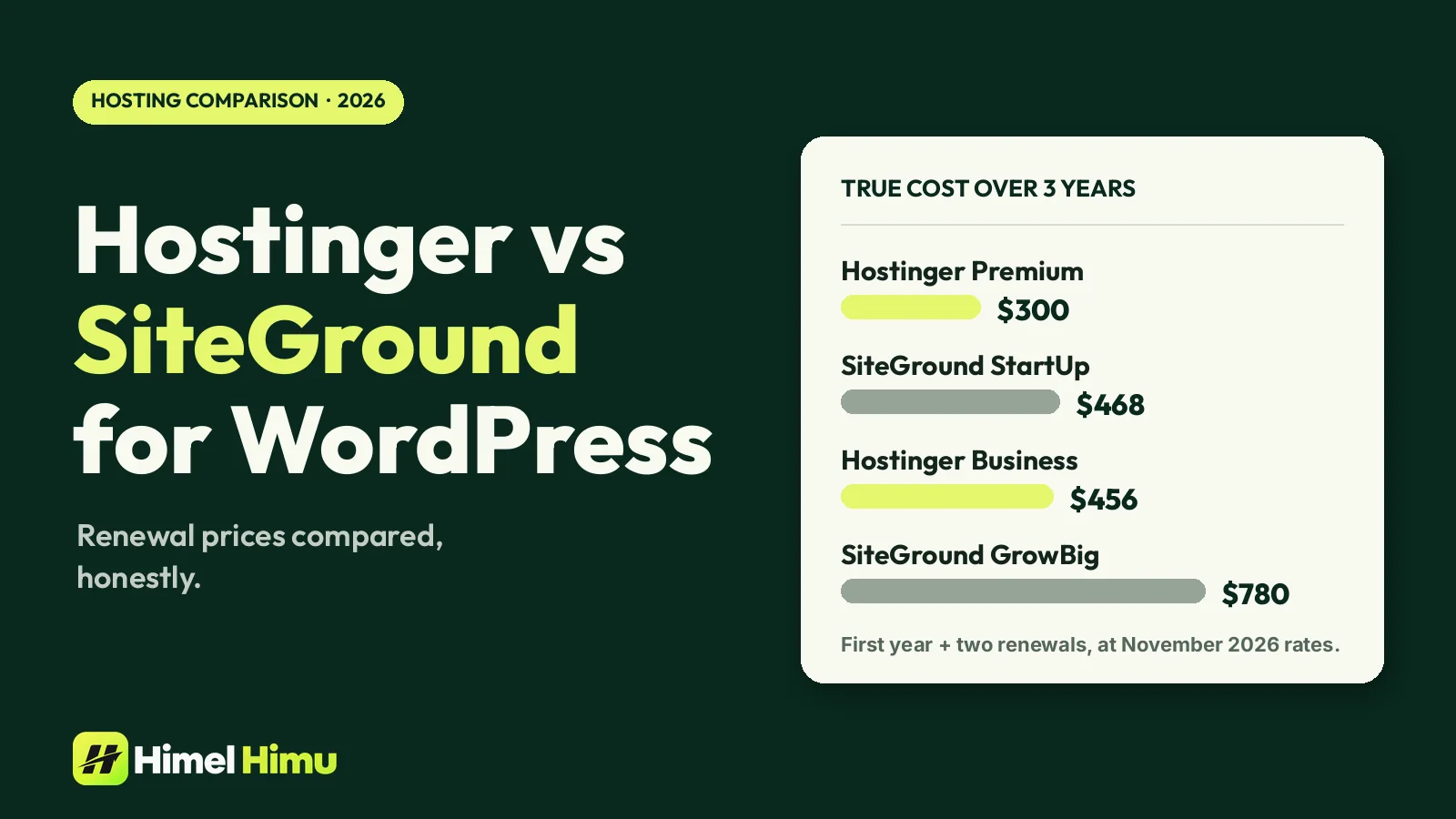
At a glance: Hostinger wins on cost, SiteGround wins on care. Over three years, Hostinger Premium costs about $300 against about $468 for SiteGround StartUp, and Hostinger Business about $456 against about $780 for SiteGround GrowBig. For a first site or a tight budget, take Hostinger Business. For a site that earns money and cannot afford a bad day, take SiteGround GrowBig.
On this page:
- The short answer
- Price: the intro rate is not the price
- Performance: both are fast, in different ways
- Features that actually change your week
- Ease of use
- Support: where SiteGround earns its price
- Who should pick which
- Common mistakes when choosing between Hostinger and SiteGround
- Frequently asked questions
- The short version
The short answer
For a first WordPress site, a local business site, or a small portfolio of client sites, Hostinger is the better buy. It costs far less over three years, it runs on LiteSpeed, and its Business plan covers daily backups, staging and a free domain for the first year.
SiteGround is the better buy when support quality and the managed WordPress workflow matter more than the bill. Its support answers faster and solves harder problems, its staging and backup tools are smoother, and it runs on Google Cloud. You pay roughly twice as much for that over three years, and for a business site that earns money, that is often the right trade.
If you only remember one line: Hostinger wins on cost, SiteGround wins on care. Pick the one whose strength matches your weak spot.

Price: the intro rate is not the price
Both hosts sell a cheap first term and a much more expensive renewal. The gap is the whole story, and it is the number most comparisons hide.
Hostinger’s WordPress plans, on a 48-month term, start at $2.99 a month for Premium, $3.99 for Business and $7.99 for Cloud Startup. Those renew at $10.99, $16.99 and $25.99 a month. The first term is cheap because you prepay four years. Shorter terms cost more per month, so the headline price only applies if you commit for the long term.
SiteGround’s plans run on a 12-month term. StartUp starts at $2.99 a month, GrowBig at $4.99 and GoGeek at $7.99. Those renew at $17.99, $29.99 and $44.99 a month. The first year is the only cheap year. From year two on, you pay the renewal rate, every month, for as long as you stay.
Counted over three years, first year plus two renewals at the published rates, the picture is stark.
| Plan | Intro rate | Renewal rate | About, over 3 years |
|---|---|---|---|
| Hostinger Premium | $2.99/mo | $10.99/mo | ~$300 |
| SiteGround StartUp | $2.99/mo | $17.99/mo | ~$468 |
| Hostinger Business | $3.99/mo | $16.99/mo | ~$456 |
| SiteGround GrowBig | $4.99/mo | $29.99/mo | ~$780 |
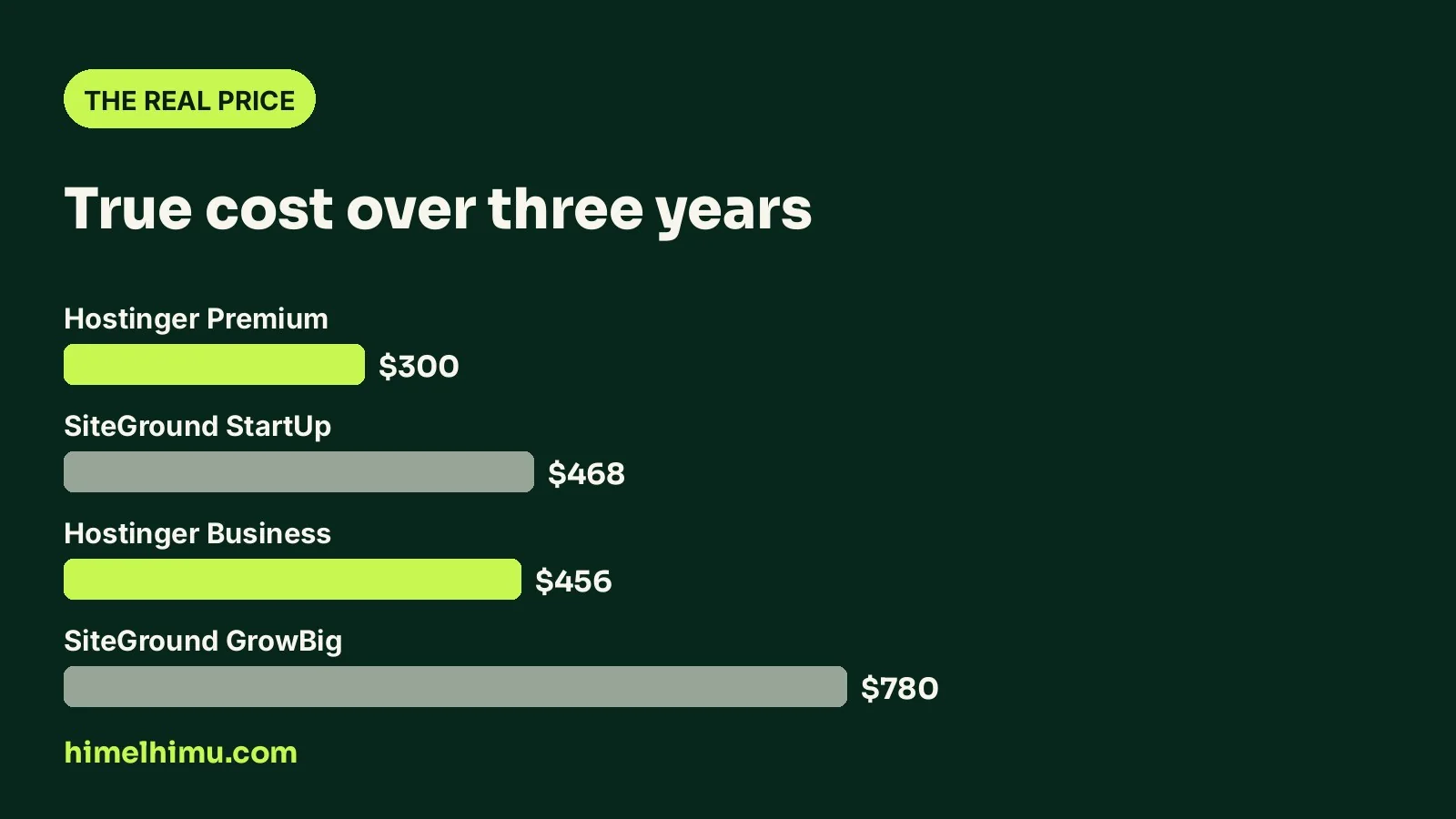
Hostinger Premium costs about $300 over three years. SiteGround StartUp costs about $468. Hostinger Business costs about $456. SiteGround GrowBig costs about $780. SiteGround’s renewal is where the money goes, and its cheapest plan renews higher than Hostinger’s middle plan.
One more cost SiteGround does not include: a free domain. Hostinger includes a free domain for the first year on annual plans and longer. SiteGround charges roughly $18 to $20 a year for the domain on top of the hosting bill. It is a small number on its own, and it is exactly the kind of small number that adds up across three years.
Both offer a 30-day money-back guarantee, so either choice is reversible in the first month. That guarantee is worth using. Sign up, build the site, and if the dashboard or the speed disappoints you, leave before the month is out.
Pro tip: before you buy either host, open the checkout and read the renewal line, then multiply it by twelve. That number is your real hosting cost. If it still looks right, you have picked the right host.
Performance: both are fast, in different ways
Speed is where the two hosts stop looking alike, even though both are fast enough for most sites.
Hostinger runs on LiteSpeed servers with LiteSpeed Cache built in, and its Business plan and above add NVMe storage. For a WordPress site with Elementor, that combination is genuinely quick, and it is one reason Hostinger keeps showing up at the top of budget hosting roundups. My migration guide walks through moving a site to Hostinger without downtime, and the LiteSpeed setup is part of why the move is worth doing.
SiteGround runs on Google Cloud with its own caching layer and a content delivery network included on every plan. Its speed is consistent rather than spectacular: fewer slow days, fewer strange slowdowns under load. GrowBig also advertises faster PHP handling than StartUp, which is one of the quiet reasons people upgrade from the cheapest plan.
For a typical local business site, a brochure site or a small blog, you will not feel a meaningful speed difference between the two once caching is set up properly. The difference shows up on busy WooCommerce stores and high-traffic days, where SiteGround’s infrastructure holds up more evenly.
Do not buy SiteGround for speed alone. Buy it for what comes next: the support, the staging, and the backups. Speed is the tiebreaker that rarely breaks the tie.
Features that actually change your week
Plan pages are full of features. Most of them you will never touch. These five you will, every week, so they are the ones worth comparing.
Daily backups. Hostinger includes them from the Business plan up. Premium gets weekly backups. SiteGround includes daily backups on every plan, including StartUp. A backup you have to remember to make is a backup you will forget. Daily and automatic is the only kind that counts.
Staging. A staging copy lets you test changes without touching the live site. Hostinger includes staging from Business up. SiteGround includes it from GrowBig up, not on StartUp. If you build client sites and test updates before deploying them, this alone can decide the plan. Testing a plugin update on the live site, in front of real customers, is how quiet afternoons become emergencies.
Websites and storage. Hostinger Premium covers a few sites with modest storage, while Business and Cloud Startup cover far more. SiteGround StartUp covers exactly one site with 10 GB of storage, which is tight once a site grows real images and backups. GrowBig covers unlimited sites with more storage, and GoGeek with more again, but the caps are still low compared with Hostinger’s higher plans, so check the current storage figure on the plan page before you buy. Storage caps are SiteGround’s real weakness: 10 GB fills faster than most people expect.
Free migration. Both offer it. Hostinger’s free migration is available from the Premium plan up. SiteGround offers free WordPress migration on all three plans, and its migrator plugin is one of the smoothest in the business. Either way, moving is an afternoon of work, not a rebuild, so a wrong first choice is not permanent.
Email. Both include email accounts. Hostinger includes mailboxes free for the first year on most plans. SiteGround includes email on all plans. If your business runs on email, confirm the mailbox limits on the plan page before you commit, because the headline price never mentions them.
Ease of use
A host you dread opening is a host you will avoid, and the tasks you avoid are the ones that break later. Both dashboards are usable, but they feel different.
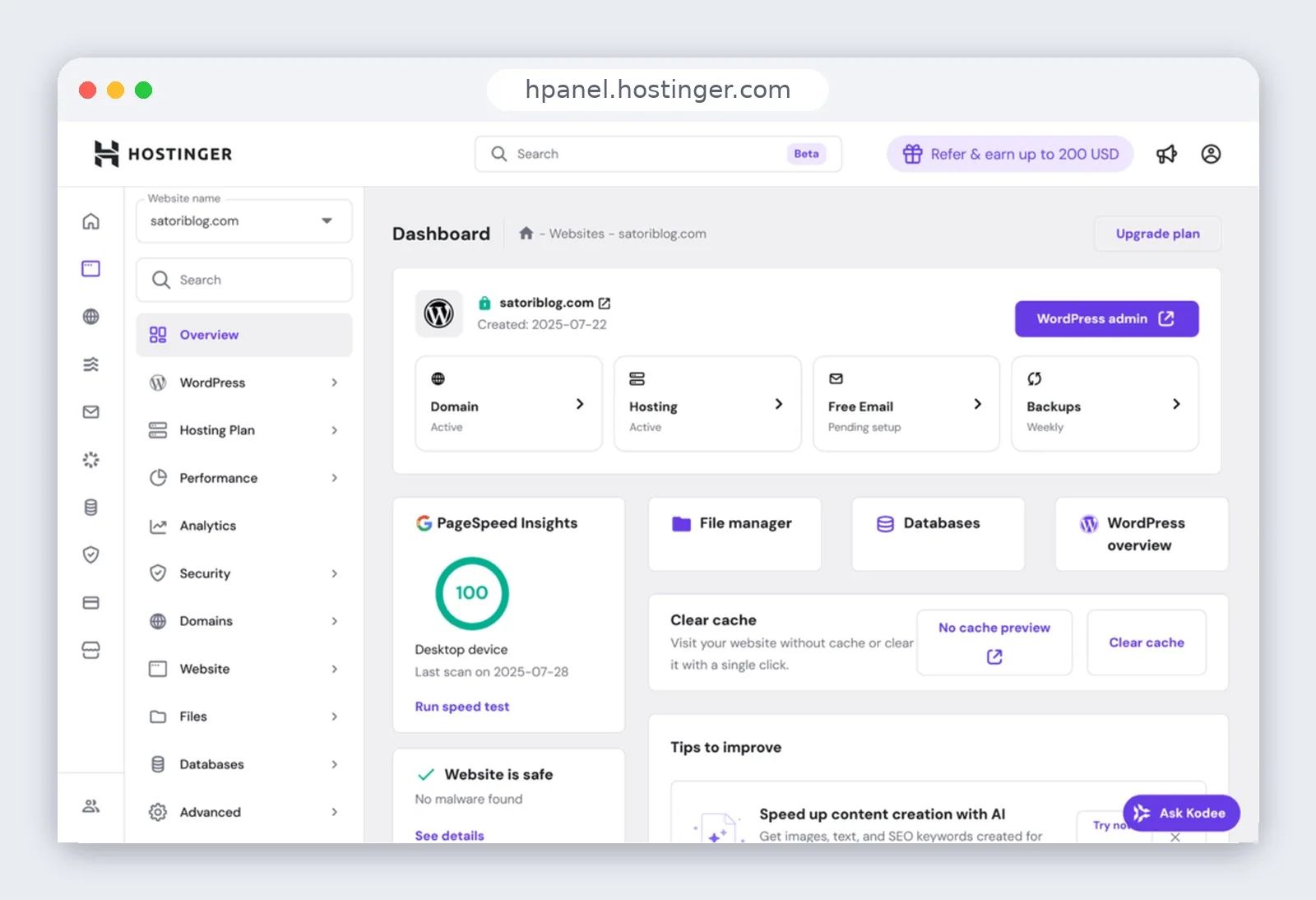
Hostinger’s hPanel is a custom dashboard built for people who want the common tasks in one place: domains, email, backups, and the WordPress install, without digging through menus. For a first-time site owner, that simplicity is a real advantage. You find what you need, you do it, you leave.
SiteGround’s side is built around the managed WordPress workflow. Its staging and backup tools are smoother than Hostinger’s, and that smoothness is what you feel day to day when you manage client sites: test an update on staging, restore a backup in a few clicks, move on. If you manage sites for clients, that workflow is the product as much as the hosting is.
Neither is wrong. The question is which one you are. If you want the host to stay out of your way, Hostinger’s simplicity wins. If you want the host to give you the tools and let you work, SiteGround’s depth wins.
Support: where SiteGround earns its price
This is the honest reason SiteGround costs more, and it is the section that decides the comparison for a lot of readers.
SiteGround’s support team answers quickly, reads the actual problem instead of the first keyword in it, and fixes WordPress-specific issues rather than pointing at a help article. When a plugin update breaks a checkout page at 10 pm, that is the support you want. It is the difference between a host that hosts your site and a host that looks after it.
Hostinger’s support is solid for the price: 24/7 live chat, generally quick, and good at account and setup questions. It is less consistent on deep WordPress problems, and you may be asked to try the obvious steps first. For a developer who can diagnose most issues alone, that is fine. For a business owner who needs the host to be the safety net, it is a real gap.
Ask yourself one question: when something breaks, who fixes it? If the answer is you, Hostinger’s support is enough, and you keep the money. If the answer is “I need someone else to fix it”, SiteGround’s support is worth paying for, and the extra cost is cheaper than a broken site.
Who should pick which
By now the choice usually makes itself. Here it is, plainly.
Pick Hostinger if you are starting your first site, building several small client sites on one account, or watching every dollar while the business grows. Pick the Business plan, not Premium: daily backups, staging and more storage cost one dollar more a month on the intro rate and save you real trouble later.
Pick SiteGround if the site earns money every day, if you want the best support in shared hosting, or if you manage client sites and want staging and on-demand backups without thinking about them. Pick GrowBig, not StartUp: staging, on-demand backups and room for more than one site are the features that make SiteGround worth its price, and StartUp has none of the first two.
Pick neither cheapest plan for a store. Do not run a WooCommerce store on the cheapest plan of either host. A store needs staging, daily backups and room to grow, and the cheapest plans are the ones that lack them.
Either way, buy for the renewal price, not the intro price. Open the checkout, read the renewal line, and multiply it by twelve. That number is your real hosting cost. If it still looks right, you have picked the right host.
Common mistakes when choosing between Hostinger and SiteGround
The wrong choice here rarely comes from picking the wrong host. It comes from buying the wrong way. These are the mistakes that cost real money.
Mistake 1: buying on the intro price. The $2.99 a month on the sales page is the first term, not the price. The renewal rate is the price. Compare renewals, not intros, and the comparison changes completely.
Mistake 2: picking StartUp for a site that will grow. One site, 10 GB of storage, no staging, no on-demand backups. That is fine for a brochure site that never changes. It is not fine for a business site that adds pages, photos and products every month. GrowBig exists for a reason.
Mistake 3: picking Premium to save one dollar. Hostinger Business costs one dollar more a month on the intro rate than Premium, and adds daily backups, staging and more storage. That one dollar is the cheapest insurance on this whole page.
Mistake 4: forgetting the domain. SiteGround does not include a free domain. Budget roughly $18 to $20 a year for it, on top of the hosting bill. It is a small number, and it is exactly the kind of small number people forget until the renewal email arrives.
Mistake 5: choosing for speed and ignoring support. Both hosts are fast enough for a normal business site. The difference you will actually feel is who answers at 10 pm when something breaks. Buy the support you need, not the speed you will never notice.
Mistake 6: assuming the first choice is permanent. Both hosts offer free migration, and a WordPress site moves cleanly between hosts with a migration plugin. Moving is an afternoon of work, not a rebuild. Pick the best fit now, and move later if the business outgrows it.
Frequently asked questions
Is Hostinger really cheaper than SiteGround?
Yes, by a wide margin over three years. Hostinger Premium costs about $300 over three years against about $468 for SiteGround StartUp, and Hostinger Business costs about $456 against about $780 for SiteGround GrowBig, at the rates published in November 2026. Promotions change, so confirm the renewal rate at checkout.
Can I move my WordPress site from one to the other later?
Yes. Both offer free migration, and a WordPress site moves cleanly between hosts with a migration plugin. Moving is an afternoon of work, not a rebuild, so a wrong first choice is not permanent.
Which is better for WooCommerce?
SiteGround GrowBig and above, because of the staging, daily backups and steadier performance under load. Hostinger Cloud Startup is the budget alternative and handles small stores well. Either way, do not run a store on the cheapest plan of either host.
Does SiteGround include a free domain?
No. Budget roughly $18 to $20 a year for the domain on top of the hosting price. Hostinger includes a free domain for the first year on annual plans and longer.
Which plan should I pick on each host?
On Hostinger, pick Business over Premium: daily backups, staging and more storage cost one dollar more a month on the intro rate. On SiteGround, pick GrowBig over StartUp: staging, on-demand backups and room for more than one site are the features that make SiteGround worth its price, and StartUp has none of the first two.
The short version
Hostinger is the value pick: far cheaper over three years, fast on LiteSpeed, and good enough for most WordPress sites if you can handle your own troubleshooting. SiteGround is the care pick: better support, smoother staging and backups, steadier under load, at roughly twice the three-year cost. For a first site or a tight budget, take Hostinger Business. For a site that earns money and cannot afford a bad day, take SiteGround GrowBig.
Hosting is one part of a business website; the build itself is the other half, and that is what my WordPress services cover.
Written by Himel Himu, a WordPress developer with 7+ years of experience and 600+ websites delivered, building local business websites for owners and white-label for agencies. Some links are affiliate links, which means I may earn a commission at no extra cost to you. Prices were checked in November 2026 and change with promotions; confirm the renewal rate at checkout.

 WordPress
 Elementor