
Here is a question worth answering before you spend a dollar: you open Elementor, build a page, and it looks good. Then you try to change the header, add a contact form, and design the checkout page. Nothing works. Is that a limitation of your skill, or a limitation of the free version?
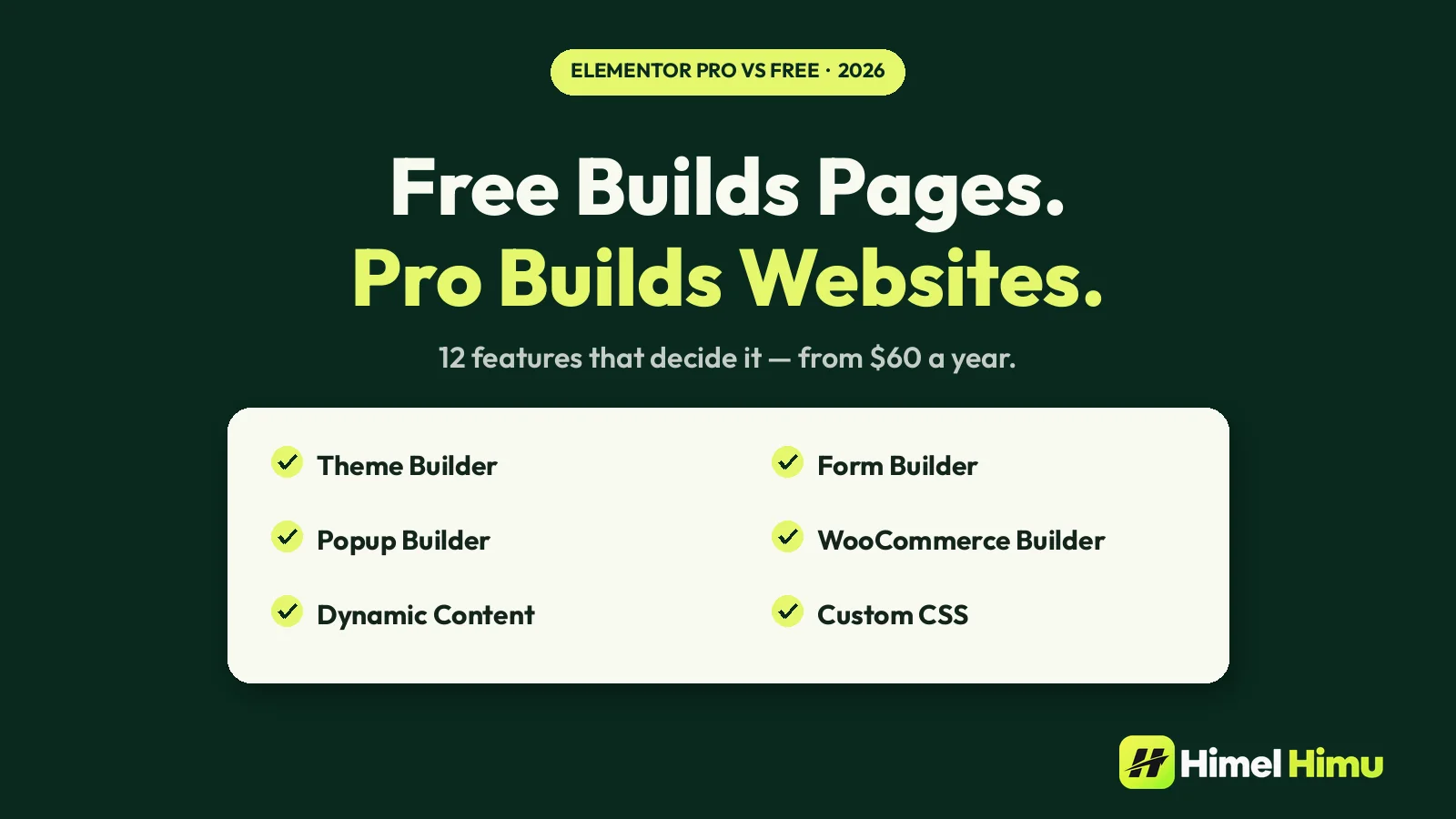
It is the free version. Free Elementor builds good pages. Elementor Pro builds whole websites. The difference is not one feature. It is twelve of them, and most business sites need at least three before the first month is over.
This comparison uses Elementor’s pricing as published in October 2026. Pro is an annual subscription, and the plans are priced by how many sites they cover: Essential at $60 a year for one site, Advanced Solo at $84 a year for one site, Advanced at $108 a year for three sites, and Expert at $204 a year for 25 sites. There is also a One plan at $180 for the first year, renewing at $228 a year, that bundles AI credits and hosting services. Prices change with promotions, so confirm the current figure before you buy.
At a glance: Free Elementor gives you about 32 widgets and page editing only. Pro adds about 86 widgets, taking the total past 118, plus the Theme Builder, forms, popups, WooCommerce design, dynamic content and custom code. For one business website, Advanced Solo at $84 a year is the right plan: the cheapest plan with every feature. Essential at $60 leaves out popups, custom code and the WooCommerce builder.
On this page:
- Free vs Pro: the one-sentence difference
- 1. Theme Builder: the feature that decides it
- 2. Form Builder: enquiries without a second plugin
- 3. Popup Builder: offers that do not annoy people
- 4. WooCommerce Builder: product pages that sell
- 5. Dynamic Content: pages that fill themselves in
- 6. Custom code and CSS: the small fixes that need a home
- 7. Widgets: 32 free against 118 with Pro
- 8. Premium templates and kits: starting points that save hours
- 9. Global styles: change once, change everywhere
- 10. Motion effects and sticky elements
- 11. Support: answers from the people who built it
- 12. The real cost: Pro replaces plugins
- Compare all 12 features at a glance
- Which plan should you buy?
- Your hosting decides how well Pro performs
- Bonus: add a sticky call button with Pro custom CSS
- Common mistakes when choosing between free and Pro
- When free is enough
- Frequently asked questions
- The short version
Free vs Pro: the one-sentence difference
Free Elementor edits the content of a page. Pro edits the website around the page. That one sentence explains almost everything that follows.
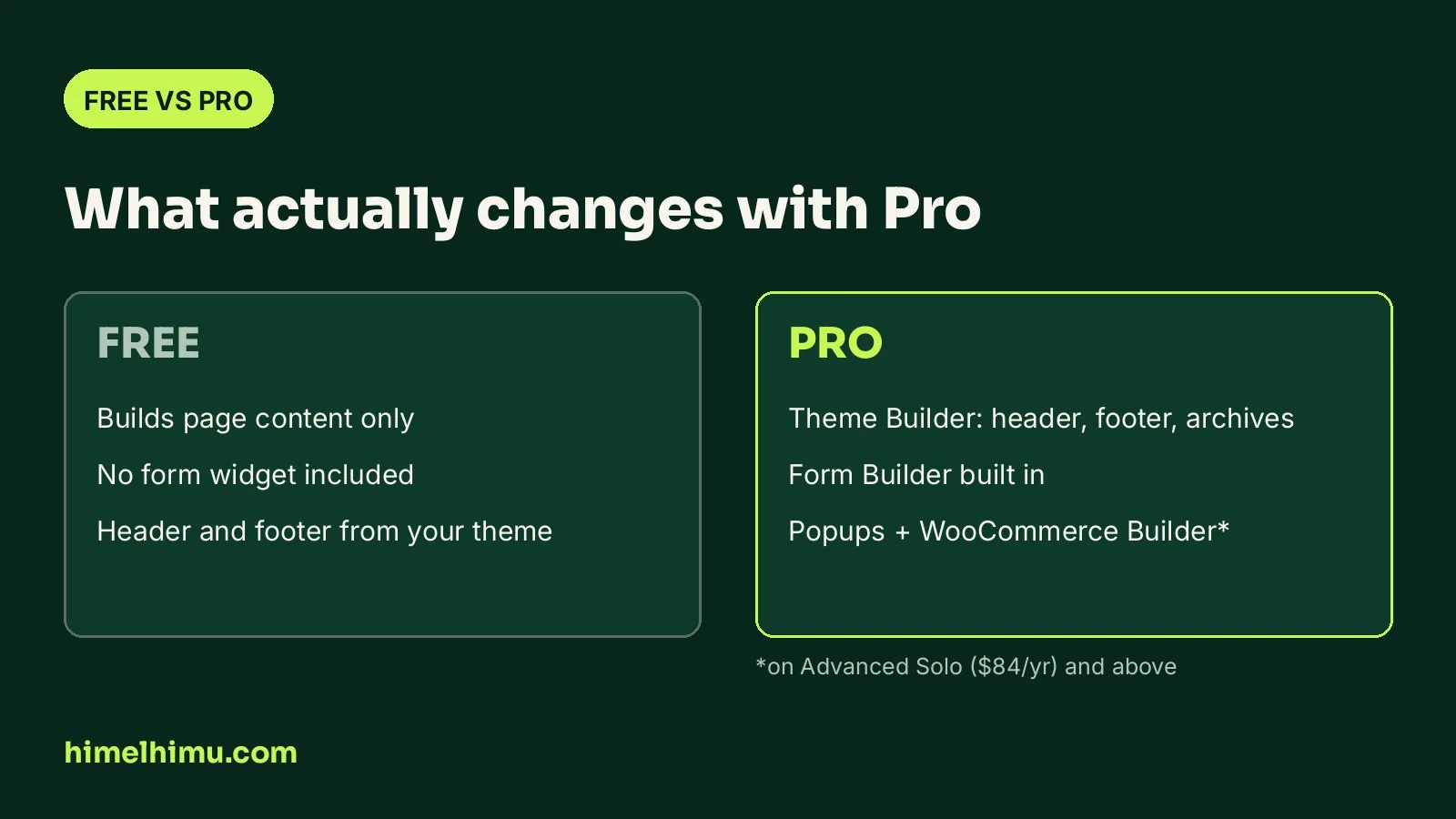
With the free version, you can build a beautiful page: headings, text, images, buttons, video, a map, the layout basics. What you cannot do is touch the parts that repeat on every page.
Pro removes that wall: design the repeating parts in Elementor itself, collect enquiries with its own form builder, show popups on your own rules, design WooCommerce pages, and pull content into templates automatically.
1. Theme Builder: the feature that decides it
Free Elementor edits the content of a page. It cannot touch the parts that repeat on every page: the header, the footer, the blog post layout, the archive pages. Those come from your theme, and you get whatever the theme gives you.
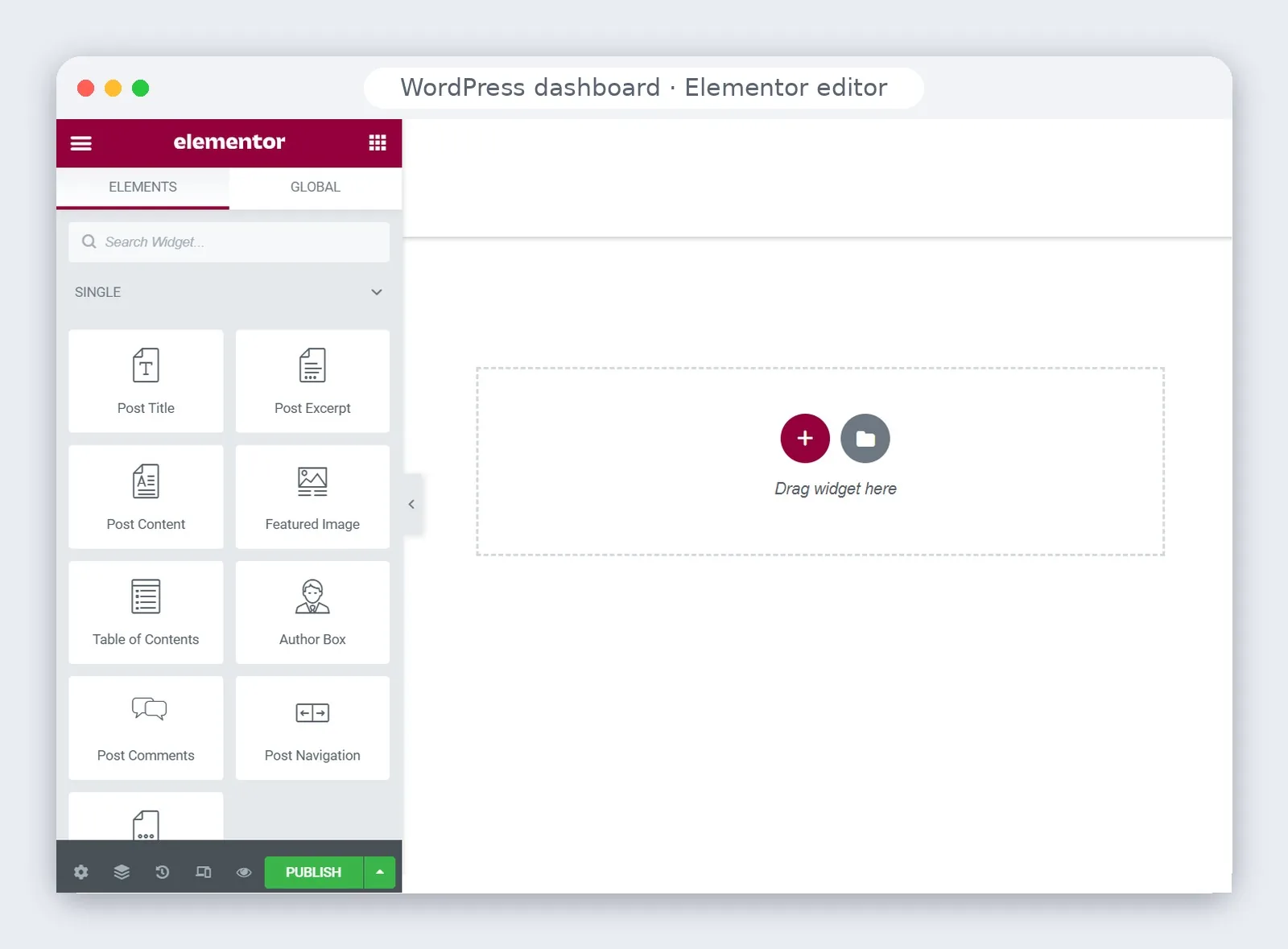
Pro’s Theme Builder lets you design the header, footer, single post template and archive pages in Elementor itself. For a business site, this is the whole decision. If you want a custom header with your phone number and a call button on every page, or a blog layout that matches the rest of the site, you need Pro. Everything else on this list is useful. This one is structural.
The header and footer appear on every page, carrying your phone number, logo, menu and call to action. My guide to building a local business website with Elementor shows that whole structure in one real build.
2. Form Builder: enquiries without a second plugin
Free Elementor has no form widget. Every contact form needs a separate plugin, with its own settings, its own styling and its own way of breaking after an update.
Pro includes a form builder with multi-step forms, integrations with email marketing tools, and submissions you can manage from the dashboard. It is the form I use for quote requests and contact pages, and it removes one plugin from every build. If your site exists to collect enquiries, this feature alone is worth the subscription.
The part people underestimate: submissions stored in the dashboard. If an email fails to arrive, the enquiry is still there.
3. Popup Builder: offers that do not annoy people
Pro’s Popup Builder designs popups in Elementor and controls exactly when they appear: after a delay, on exit intent, after scrolling, or only on certain pages. A popup that offers a free quote on a service page converts. A popup that appears everywhere on every visit does not.
The display rules are the feature: deciding who sees it and when. A visitor who has scrolled halfway down a service page, a visitor about to leave, a visitor on one specific page.
Warning: the cheapest plan, Essential at $60 a year, does not include the Popup Builder. You need Advanced Solo at $84 a year or above for popups, custom code and the WooCommerce builder, so decide on popups before you buy, not after.
4. WooCommerce Builder: product pages that sell
Free Elementor cannot design WooCommerce product pages, cart pages or checkout pages. You get the default WooCommerce layout and live with it.
Pro’s WooCommerce Builder designs product pages, shop archives and checkout in Elementor, with widgets for price, add to cart, product images and related products. Like popups, this is not on the Essential plan. It starts at Advanced Solo. If you run a store, Advanced Solo is your minimum plan.
The cart and checkout pages are where a sale is won or lost, and designing them in Elementor means the checkout looks like your store.
5. Dynamic Content: pages that fill themselves in
Pro can pull content from custom fields, post data and site data into a design automatically. A directory listing, a team page or a services archive can share one template while each entry shows its own name, photo and details.
Free Elementor shows static text only. Every similar page needs its own manual copy. Dynamic content is the feature that turns Elementor from a page builder into a system, and it is what makes the directory and listing builds in my JetEngine tutorial practical.
6. Custom code and CSS: the small fixes that need a home
Pro lets you add custom CSS to any widget and custom code to the header or footer, from inside Elementor. The little fixes that every real site needs, a button style here, a tracking script there, have a proper home instead of living in a separate plugin.
Again, this starts at Advanced Solo, not Essential. If you ever paste tracking code or custom CSS, Essential will frustrate you.
7. Widgets: 32 free against 118 with Pro
Free Elementor ships with around 32 core widgets: headings, text, images, buttons, video, maps and the layout basics. They cover a simple page honestly.
Pro adds about 86 more, bringing the total past 118: pricing tables, countdown timers, testimonials sliders, price lists, call to action blocks, animated headlines, table of contents, and the form, popup and WooCommerce widgets above. The Essential plan includes 57 Pro widgets; the full set of 86 needs Advanced Solo or above.
Do not buy Pro for the widget count alone: most of the 86 you will never touch. The 29 missing from Essential are the ones that usually matter on a business site.
8. Premium templates and kits: starting points that save hours
Pro unlocks the full template library: complete page designs, section blocks and full website kits you can import and adapt. Free Elementor includes a small set of starter templates.
Templates are not a reason to buy Pro by themselves. They are a reason to stay with Pro once you have it, because a new landing page starts from a finished design instead of a blank canvas.
9. Global styles: change once, change everywhere
Pro’s global fonts and colours mean a brand change takes minutes. Change the heading font once and every heading on the site follows. Free Elementor can set defaults per widget, but there is no single place where the site’s typography and colours live.
This matters more as a site grows. A five-page site survives without global styles. A fifty-page site does not: changing one heading colour means opening fifty pages.
10. Motion effects and sticky elements
Pro adds motion effects, sticky positioning and scroll effects to any element: a header that shrinks on scroll, a call button that follows the visitor down a long service page, a section that fades in as it enters the screen. Free Elementor has basic entrance animations only.
Use these sparingly. One sticky call button helps a business site. Five animated sections on one page hurt it.
11. Support: answers from the people who built it
Free Elementor support runs through the WordPress.org forums, where answers come from volunteers when they come at all. Pro includes premium support from Elementor’s own team, with faster responses and people who can actually look at a Pro-specific problem.
When a client site breaks and the deadline is today, paid support is not a luxury. It is the difference between fixing it in an hour and guessing until midnight.
12. The real cost: Pro replaces plugins
Count what Pro replaces on a typical business site: a form plugin, a popup plugin, a custom header plugin, a WooCommerce customiser, and a code snippets plugin. Bought separately, those cost more than $84 a year and need five separate updates, five separate settings screens and five separate chances to conflict.
That is the honest math. Pro is not cheap for a hobby blog. For a business site, it is cheaper than the plugins it replaces, and it is one system instead of five.
Compare all 12 features at a glance
| # | Feature | Free Elementor | Elementor Pro | Plan that unlocks it |
|---|---|---|---|---|
| 1 | Theme Builder | No — the theme controls them | Yes, all in Elementor | Essential $60/yr+ |
| 2 | Form Builder | No form widget at all | Yes, multi-step forms, email integrations, dashboard submissions | Essential $60/yr+ |
| 3 | Popup Builder | No | Yes, with delay, exit-intent, scroll and page rules | Advanced Solo $84/yr+ |
| 4 | WooCommerce Builder | No, default WooCommerce layout only | Yes, product, cart and checkout design | Advanced Solo $84/yr+ |
| 5 | Dynamic Content | Static text only | Yes, pulls custom fields, post and site data into templates | Essential $60/yr+ |
| 6 | Custom code and CSS | No | Yes, custom CSS per widget, custom code in header or footer | Advanced Solo $84/yr+ |
| 7 | Widgets | Around 32 core widgets | Around 86 more, total past 118 | 57 on Essential; full 86 from Advanced Solo $84/yr |
| 8 | Premium templates and kits | Small starter set | Full template library | Essential $60/yr+ |
| 9 | Global styles | Per-widget defaults only | Global fonts and colours | Essential $60/yr+ |
| 10 | Motion effects and sticky elements | Basic entrance animations only | Motion, sticky and scroll effects | Essential $60/yr+ |
| 11 | Support | WordPress.org forums, volunteers | Premium support from Elementor’s team | Essential $60/yr+ |
| 12 | Replaces plugins | Needs five separate plugins | Replaces all five in one system | Advanced Solo $84/yr for the full replacement |
Read the table from the plan column: the question is “does the plan I am about to buy have this?”
Which plan should you buy?
Buy Essential at $60 a year only if you need the Theme Builder and the Form Builder and nothing else, and you are certain you will never need popups, custom code or WooCommerce design. Most people who buy Essential outgrow it.
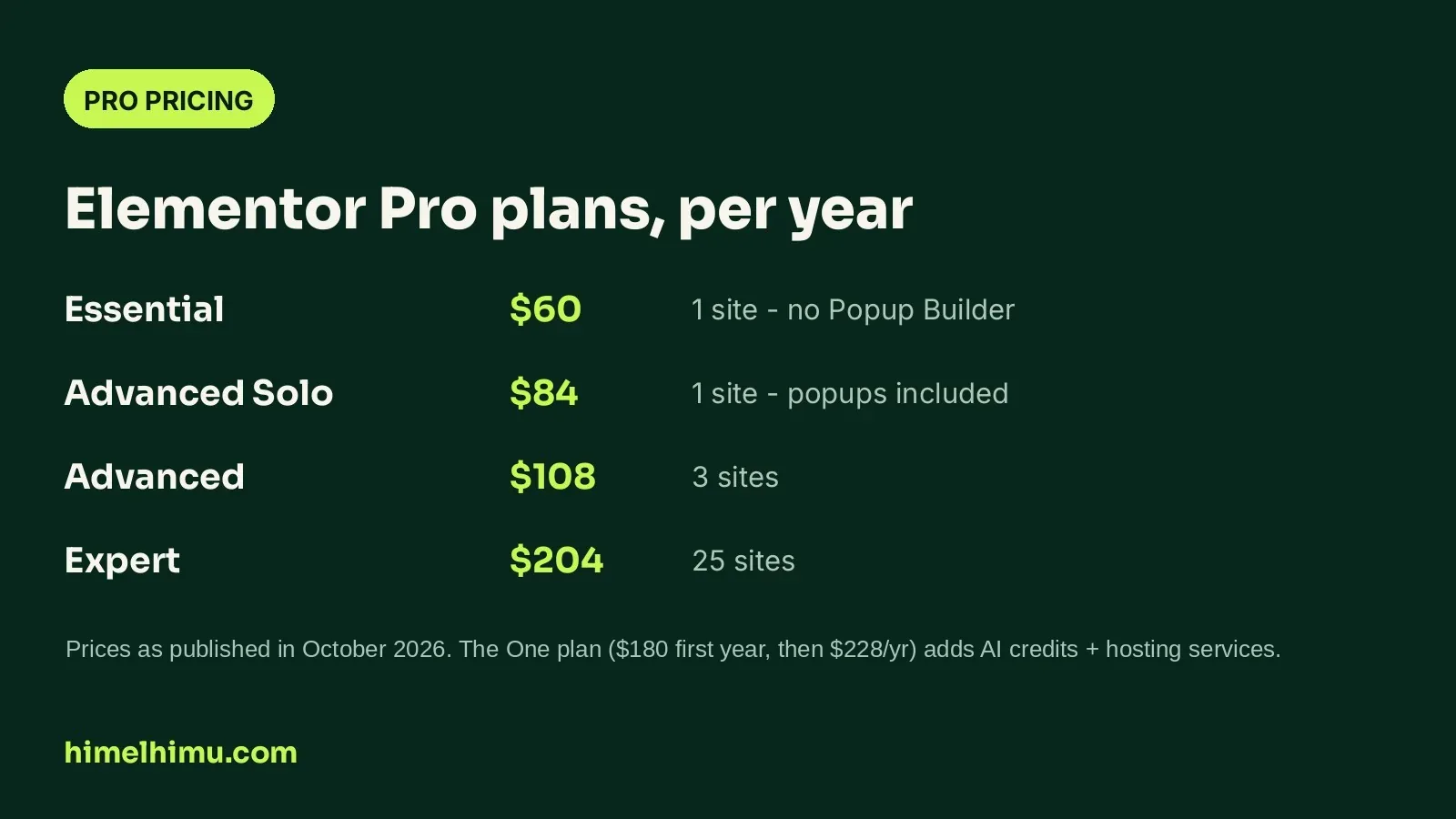
Buy Advanced Solo at $84 a year if you build business sites. It is the cheapest plan with every Pro feature: popups, custom code, the WooCommerce builder and all 86 Pro widgets, for one site. For one business website, this is the right plan.
Buy Advanced at $108 a year for three sites, or Expert at $204 a year for 25 sites if you build for clients.
Skip the One plan unless you specifically want Elementor’s AI credits and bundled services. It costs $180 for the first year, renewing at $228 a year, and its value is the AI, not the builder.
The $24 question: Essential costs $60 and Advanced Solo costs $84, and that $24 buys popups, custom code, the WooCommerce builder and the remaining 29 Pro widgets. Check the current prices on Elementor’s website before you buy.
Your hosting decides how well Pro performs
Pro adds features, and features need a server that can run them. The Theme Builder, forms, popups and WooCommerce builder all add work to every page load, and that work lands on your hosting. A slow Elementor site is usually slow because of too many plugins, unoptimised images or cheap hosting, not because of Pro itself. But that last cause is the one people miss: they buy Pro, build a heavier site, and leave it on the same budget hosting.
The pattern to watch for: the site was fast at five pages, then the header, the forms, the popups and the shop went in, and suddenly every page takes longer. Nothing is broken. The site simply outgrew its hosting. If you are buying Pro for a business site, put it on hosting that can carry a real WordPress build. I use Hostinger for this kind of site: my full review is at himelhimu.com/hostinger-review/, and my link is here: Hostinger.
Bonus: add a sticky call button with Pro custom CSS
The sticky call button from section 10 is the one motion feature worth using on a business site. Give your button widget the CSS class sticky-call-btn in the Advanced tab, then paste this into the widget’s Custom CSS panel.
.sticky-call-btn {
  position: fixed;
  bottom: 20px;
  right: 20px;
  z-index: 99;
  padding: 14px 24px;
  background: #09291f;
  color: #ffffff;
  border-radius: 999px;
  font-weight: 700;
  text-decoration: none;
}
Here is what each line does.
Line: .sticky-call-btn
The class selector. It targets only the button widget you gave this class to.
Line: position: fixed; bottom: 20px; right: 20px;
This pins the button to the bottom-right corner, where it stays while the visitor scrolls.
Line: z-index: 99;
This keeps the button above the page content while scrolling.
Line: padding: 14px 24px;
Space inside the button: 14 pixels top and bottom, 24 left and right. Big enough to tap on a phone.
Line: background: #09291f; color: #ffffff;
A dark green button with white text. Change the background to your own brand colour.
Line: border-radius: 999px;
A very large radius turns the button into a pill shape.
Line: font-weight: 700; text-decoration: none;
Bold text, no underline. A call button is not body text.
Pro tip: after pasting, open the site on your own phone, scroll a long page, and tap the button. On the free version this same button needs a separate plugin or a theme file edit.
Common mistakes when choosing between free and Pro
The expensive mistakes repeat. Here are the ones I see most.
Mistake 1: buying Essential, then needing popups, custom code or WooCommerce design. Most business sites need one of them within the first year, and the plan change mid-build costs more than the $24 saved.
Mistake 2: paying for Pro features a simple blog will never use. A blog with no forms, no store and no custom header gains nothing from Pro. Paying $84 a year for features you will not touch is wasteful.
Mistake 3: running five separate plugins instead of Pro. A form plugin, a popup plugin, a custom header plugin, a WooCommerce customiser and a code snippets plugin cost more than $84 a year together. If your site already needs three of those five, Pro is the cheaper option.
Mistake 4: blaming Pro for a slow site. Pro adds features, not weight by itself. A slow Elementor site is usually slow because of too many plugins, unoptimised images or cheap hosting.
Mistake 5: treating Pro as a one-time purchase. Pro is an annual subscription. Stop paying and the Pro features stop working, and the site falls back to what free Elementor can show. Budget for the renewal every year.
When free is enough
Stay free if the site is a simple blog, a one-page portfolio or a personal project with no forms, no store and no custom header. Free Elementor builds those well, and paying $84 a year for features you will not use is wasteful.
The moment the site needs to collect enquiries, look like a business instead of a blog, or sell anything, free stops being enough, usually around the second page you build.
Frequently asked questions
Can I use Elementor Pro on a site built with free Elementor?
Yes. Pro is an add-on to the free plugin, not a replacement. Install Pro, activate the licence, and the extra features appear in the same editor. Your existing pages stay exactly as they are.
Does Pro slow down a website?
Pro adds features, not weight by itself. A slow Elementor site is usually slow because of too many plugins, unoptimised images or cheap hosting, not because of Pro. Keep the plugin count low and the images small, and Pro performs fine.
What happens if I stop paying for Pro?
The Pro features stop working: Theme Builder templates, forms, popups and Pro widgets lose their Pro functionality, and the site falls back to what free Elementor can show. The content is not deleted, but the design will look wrong until you renew or rebuild those parts. Treat Pro as an ongoing cost, not a one-time purchase.
Is Essential enough for a business website?
Only if the site needs nothing beyond the Theme Builder and forms. No popups, no custom code, no WooCommerce design. For most business sites, Advanced Solo at $84 a year is the honest minimum.
The short version
Free Elementor builds pages. Pro builds websites: custom headers and footers, forms, popups, WooCommerce design, dynamic content and custom code, with premium support behind it. For a business site, buy Advanced Solo at $84 a year. For a simple blog or portfolio, stay free.
If you would rather have the site built for you than build it yourself, that is what my WordPress services are for.
Written by Himel Himu, a WordPress developer with 7+ years of experience and 600+ websites delivered, building local business websites for owners and white-label for agencies. Some links are affiliate links, which means I may earn a commission at no extra cost to you. Prices were checked in October 2026 and change with promotions; confirm the current price at checkout.

 WordPress
 Elementor