
A switchboard trips at 8 pm, the house goes dark, and the homeowner searches “electrician near me” on their phone. How many seconds before they can call you? That moment is the test the best WordPress themes for electricians have to pass.
If the answer is more than ten, your design is costing you jobs — and that is exactly what the best WordPress themes for electricians are built to fix. Electrical work is trust work. Nobody lets a stranger into their switchboard because of a nice hero image. They call the business that looks licensed, local and reachable.
These are the WordPress designs I would shortlist for an electrical business in 2026, judged the same way I judged the plumber themes: how fast a visitor reaches your number, whether the pages an electrical business actually needs are included, and what it costs to run. Most picks are Elementor template kits on the light Hello theme, because that combination is quick to launch and easy to edit. Prices are one-time on ThemeForest, checked November 2026.
At a glance: the best WordPress themes for electricians in this list are 8 picks, mostly Elementor template kits, one-time prices from $20 to $32. Buy Voltline (around $29) for the full kit or Elictrix (around $20) if the budget is tight, and read the rest of this guide to match a kit to your jobs.
On this page:
- What an electrician’s website must have
- How I picked these themes
- The picks
- Compare the picks at a glance
- Prefer a classic theme instead of a kit?
- The subscription alternative
- What an electrician website really costs in year one
- Bonus: add a sticky call button (copy-paste code)
- Common mistakes when choosing an electrician theme
- How to choose between these picks
- Frequently asked questions
- The short version
What an electrician’s website must have
Before the picks, the checklist. Score every design below against these four points and the right choice usually picks itself.
A tap-to-call button that never leaves the screen on mobile. The visitor is often standing in the dark, or in front of a dead switchboard. The number has to be one tap away, all the time, not buried in a menu or below a slider.
Service pages split the way customers search. Emergency electrician, switchboard upgrades, lighting, fault finding, commercial work. Each job gets its own page, because nobody searches “electrical services”, they search the problem they have.
Licence and insurance details placed where a nervous homeowner will find them. Electrical work happens inside people’s walls. The licence number is not a footer afterthought, it is the reason a stranger trusts you with their house. Put it where the decision happens: the homepage, the contact page, and the footer.
An areas-covered page and real reviews. “Electrician near me” is a trust decision made in about thirty seconds. A page listing the suburbs you cover, plus reviews with real names, is what turns a search into a call.
How I picked these themes
So you know this is not a copy of somebody else’s list, here is the process.
Step 1: I started from the marketplace, not from other blogs. I went through the electrical category on ThemeForest and the Elementor kit listings and shortlisted every kit that is actively sold and aimed at electricians.
Step 2: I scored each kit against the four-point checklist above. Kits without a clear call path, without service page templates, or without a structure that splits services the way customers search lost points fast, however pretty the demo looked.
Step 3: I checked the real cost. The price on the button is not the whole story. I checked whether the kit needs Elementor Pro or runs on free Elementor, because a kit that needs a Pro licence costs more than its price tag suggests. Both kinds are on this list, and I say which is which in each review.
Step 4: I checked the prices again at publish time. ThemeForest prices move with sales, so the prices here were verified on the item pages in November 2026. If a kit is on sale when you read this, even better, but do not pay more than the price listed here without checking why.
The picks
1. Voltline, the complete electrical kit (around $29)
The fullest electrician kit in the current catalogue: 14+ page templates covering installations, repairs, lighting and maintenance, with the service structure already separated the way customers search. If you want one purchase that covers a whole electrical business, residential and commercial, this is the default pick.
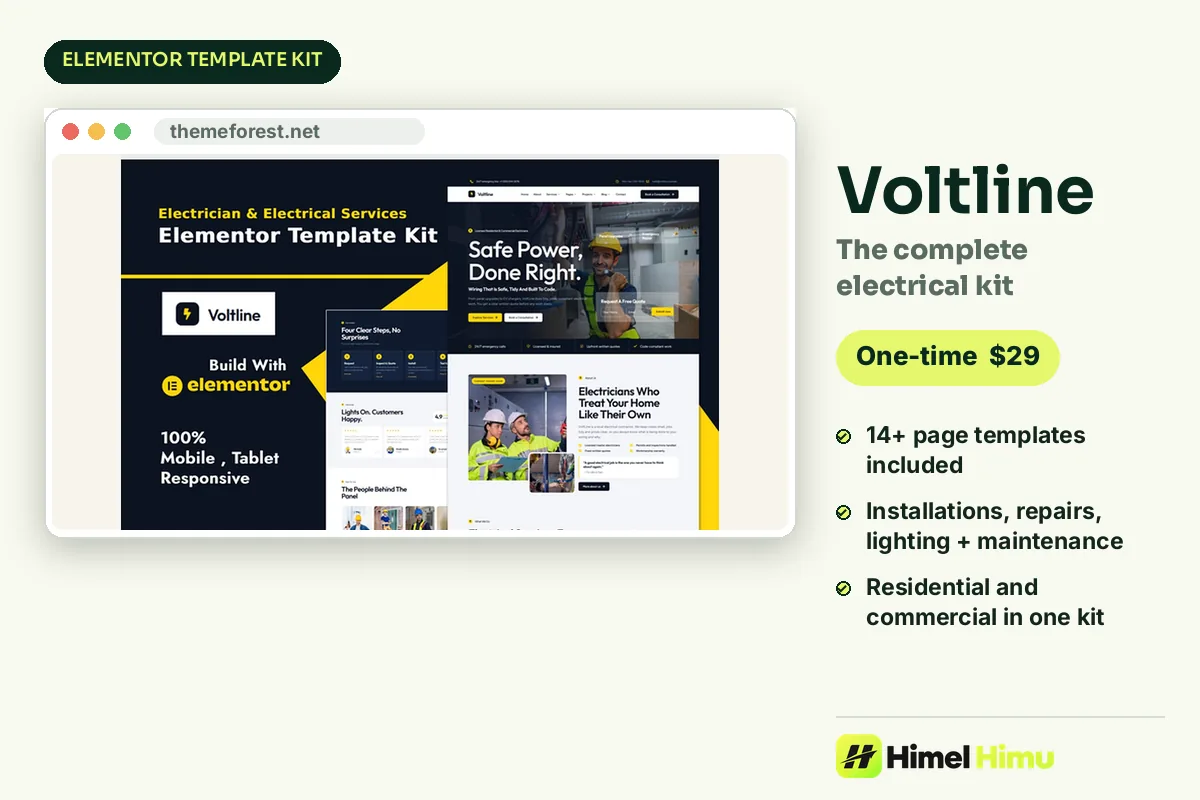
What’s inside:
- 14+ page templates for the full electrical business
- Installation, repair, lighting and maintenance pages, separated the way customers search
- Residential and commercial coverage in one kit

That separation is why Voltline tops this list: a visitor with a lighting problem lands on a lighting page, not a generic services page.

Best for: established electrical companies that want the complete site in one go.
2. Lighti, the proven seller (around $24)
Lighti is an Elementor Pro kit with a track record: 36 sales and counting, in a category where most kits sell a handful. It is aimed at electricians and handymen, and one-click page installation plus a clean, responsive layout make it one of the fastest routes from download to live site on this list.
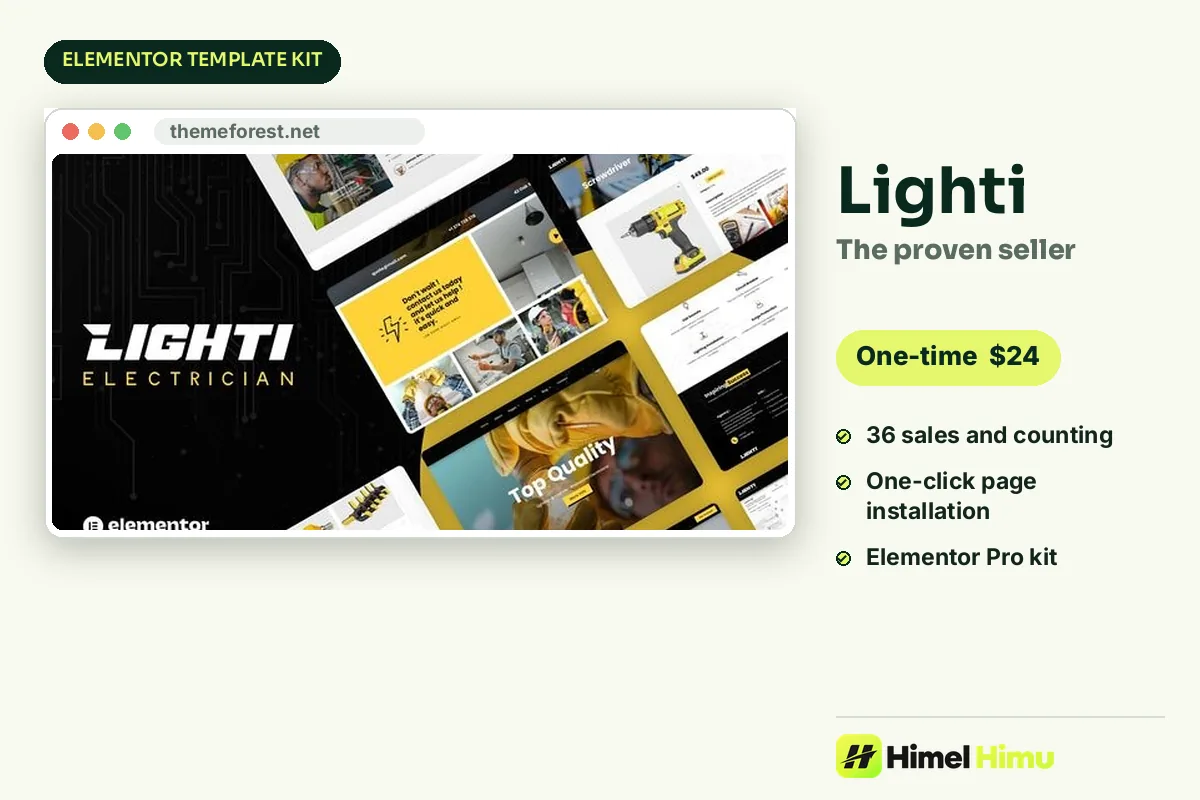
Sales numbers matter in a small category. Thirty-six sales means thirty-six businesses have already installed it and kept using it.
Best for: electricians and handymen who want something proven, not brand new.
3. Levos, built to generate leads (around $24)
Levos markets itself on lead generation and the structure backs it up: strong call placement, quote-focused sections, and it runs on the free version of Elementor. With 15 sales it is one of the better-tested free-Elementor options in this category.
The free-Elementor point matters for the total cost. Levos needs no Pro licence, so the $24 on the button is the whole design cost.
Best for: businesses whose website exists for one reason, enquiries.
4. Voltive, free Elementor and tidy (around $24)
Voltive covers the standard electrical site cleanly, also on free Elementor, with separate installation and repair service pages. A sensible pick if you want to keep the whole stack free-licence and simple.
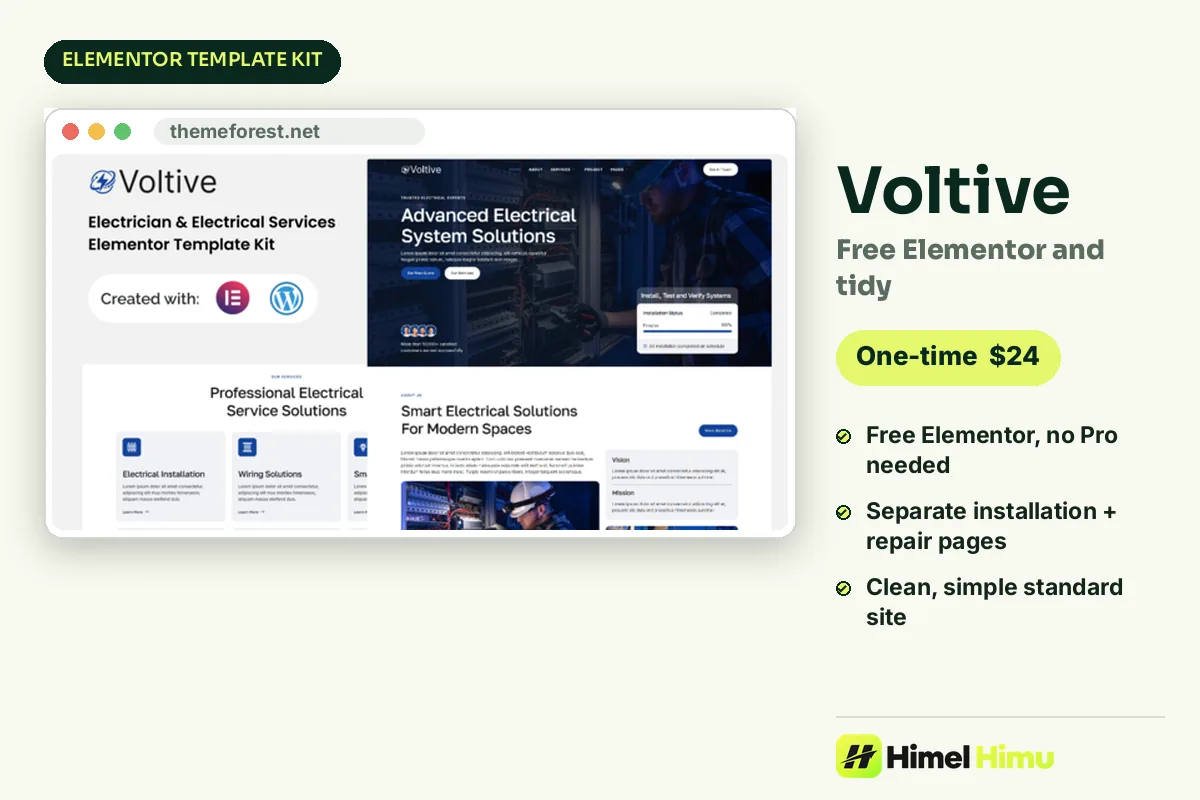
Installation and repair are the two services most electricians get called for, and Voltive gives each its own page.
Best for: a clean, simple site with no Pro licence needed.
5. Salford, the corporate look (around $27)
Salford is an Elementor Pro kit styled for electrical companies rather than solo operators: team pages, service-company structure, and a more corporate tone that suits businesses bidding for facility and strata work.

This is the pick when the buyer is a facilities manager or a strata committee, not a homeowner.
Best for: electrical companies presenting as a company, not a one-man band.
6. Electema, the premium option (around $32)
The priciest kit here, and the design polish shows it: Electema is the pick when the brand is modern and premium, think high-end lighting and smart-home work where the site itself has to justify higher rates.
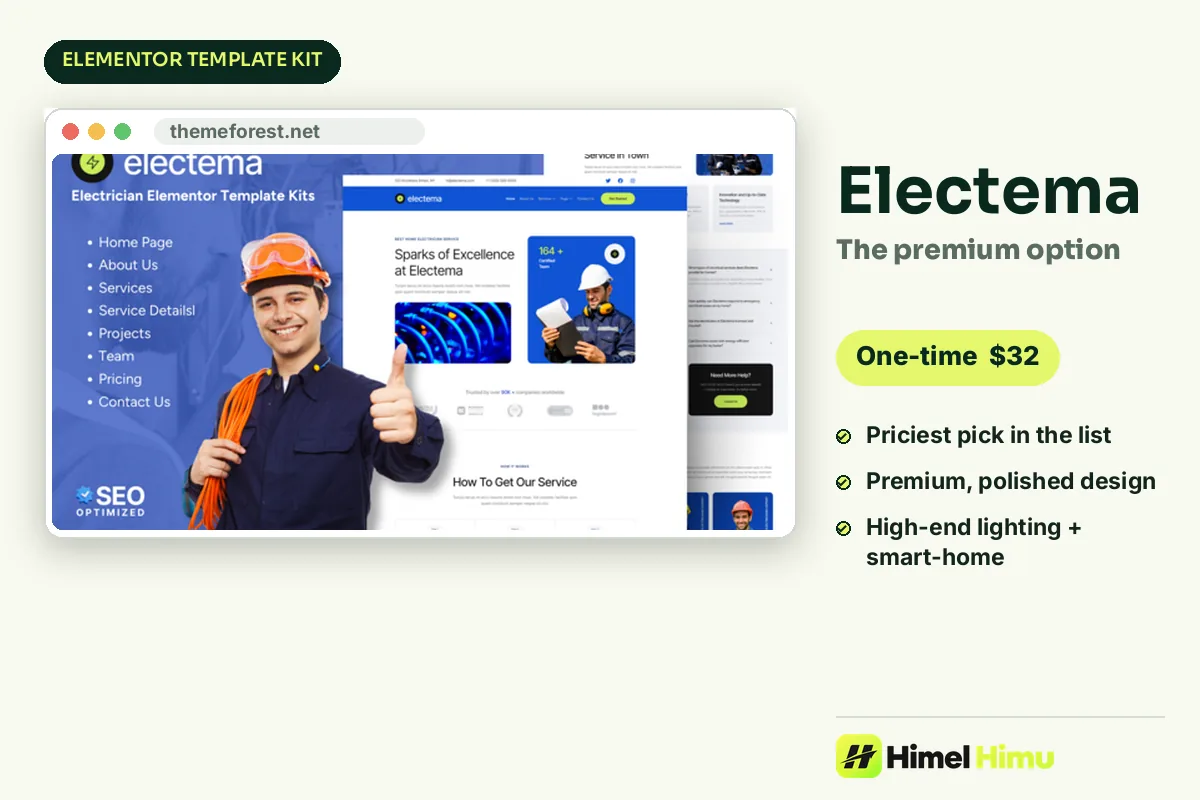
If your rates are higher than the competition, the site has to look like it.
Best for: premium and smart-home focused electricians.
7. Eltrix, the solid all-rounder (around $29)
Eltrix does the standard electrician site well: services, emergency work, about, contact, without pushing any one angle. If nothing above fits your exact mix, this is the safe middle of the list.
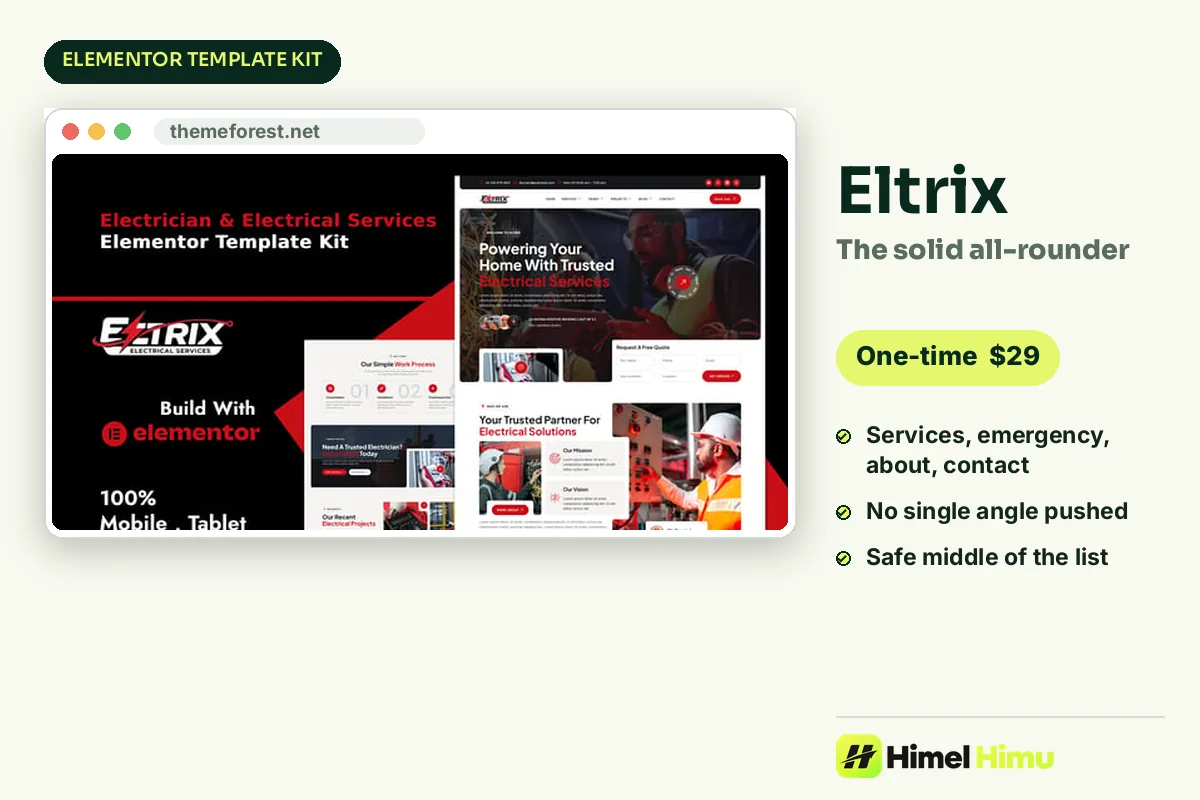
A general electrical business does a bit of everything, and a kit that does everything competently fits better than a specialised kit that fights you on half your pages.
Best for: general electrical businesses that want no surprises.
8. Elictrix, the budget start (around $20)
The cheapest complete kit in the category. Elictrix covers the essentials a new electrical business needs to look legitimate and take enquiries, and leaves budget room for the things that matter more at that stage, like good photos of real work.
A new business needs to look legitimate, take enquiries, and show a phone number. Elictrix does that for $20, and the money saved buys photos of real work.
Best for: a first website for a new electrical business.
Compare the picks at a glance
| Kit | Price (one-time) | Best for |
|---|---|---|
| Voltline | $29 | Complete business kit, residential + commercial |
| Lighti | $24 | Proven seller, fastest route to live (Elementor Pro) |
| Levos | $24 | Lead generation on free Elementor |
| Voltive | $24 | Clean, simple site on free Elementor |
| Salford | $27 | Corporate look, facility and strata work (Elementor Pro) |
| Electema | $32 | Premium and smart-home branding |
| Eltrix | $29 | General business, no surprises |
| Elictrix | $20 | First website on a tight budget |
Lineman ($59) and Electrician ($50) are full themes rather than kits, covered in the next section.
Prefer a classic theme instead of a kit?
Two established full WordPress themes sit in the same category: Lineman (around $59) and the long-running Electrician theme (around $50). A theme bundles everything into one package with its own options panel.
Choose the kit if you live in Elementor and want to edit every page visually. Choose a theme if you want one purchase and one options panel.
And if you build for several trades, an Envato Elements subscription covers kits for every trade under one fee; my guide to Elements for local businesses explains when that maths wins.
The subscription alternative
Every pick above is a single purchase on ThemeForest. But there is a second way to buy, and for some readers it is the smarter one.
If you build electrician sites regularly, or you also need designs for other trades plus stock photos, an Envato Elements subscription gives you a whole library of Elementor kits and assets for a monthly fee instead. The short version is: one site, buy a kit; a pipeline of sites, subscribe.
Warning: the demo photos inside these kits are usually Envato Elements images, not part of the kit purchase. The ThemeForest item pages say so plainly: licence those images through Elements, or replace them with your own photos before launch. Launching with unlicensed demo images is the one mistake that can cost real money after the site goes live.
What an electrician website really costs in year one
Because the kit price is the number everyone stares at, here is the full picture for a DIY build using any pick on this list.
The kit: $20 to $32, one time. That is the design. It is a single payment on ThemeForest, and the licence covers one website. The classic themes cost more: Lineman $59 and Electrician $50, still one-time.
Hosting: roughly $35 to $50 for the first year. Budget WordPress hosting is enough for an electrician site. You do not need a managed plan or a VPS to run a template kit.
The domain: roughly $10 to $15 a year. Your business name, bought once, renewed yearly.
Elementor: $0, for most picks. Levos and Voltive run on the free version. Elementor Pro is a convenience for the kits that need it, not a requirement for the category.
Plugins: $0. Each kit above works with free plugins. The moment a kit demands a paid plugin to look like its demo, it stops being a $20 kit.
Add it up and a complete electrician website costs well under $100 in year one with a kit, or a little over $100 with a classic theme.
Bonus: add a sticky call button (copy-paste code)
Whichever kit you choose, add this. A sticky call bar sits at the bottom of the phone screen while the visitor scrolls, so your number is always one tap away. Some kits include one; if yours does not, here is the whole thing in two small pieces of code.
Step 1: paste this HTML where your footer is built (a footer widget, or the header-footer builder your kit already uses). Replace the number with your real one, in international format.
<div class="sticky-call-bar">
  <a href="tel:+15551234567">Call now — 24/7 emergency electrician</a>
</div>
Step 2: paste this CSS into Customizer → Additional CSS.
.sticky-call-bar {
  position: fixed;
  left: 0;
  right: 0;
  bottom: 0;
  z-index: 9999;
  display: none;
  background: #0b3d2e;
  text-align: center;
}
.sticky-call-bar a {
  display: block;
  padding: 14px 16px;
  color: #ffffff;
  font-weight: 700;
  text-decoration: none;
}
@media (max-width: 767px) {
  .sticky-call-bar { display: block; }
  body { padding-bottom: 52px; }
}
Now let’s break the code down line by line, so you know what you are pasting.
Line: href=”tel:+15551234567″
The tel: link is what makes the tap dial your phone instead of opening a page. Use your real number with the country code, no spaces.
Line: position: fixed; bottom: 0;
This pins the bar to the bottom of the screen. It stays there while the visitor scrolls, which is the entire point.
Line: display: none; and the @media block
The bar is hidden by default, and the media query switches it on only on screens under 768px wide. Desktops keep the clean design; phones, where the emergency calls happen, get the bar.
Line: body { padding-bottom: 52px; }
This small line stops the bar from covering your footer text and links on mobile. Skip it and your footer sits hidden behind the bar.
Pro tip: after pasting, open your site on your own phone and tap the bar. Check it dials the right number. Do this before you share the site anywhere, because a sticky bar calling the kit’s demo number is worse than no bar at all.
Common mistakes when choosing an electrician theme
Every website is different, but the expensive mistakes repeat. Here are the ones I see most.
Mistake 1: buying for the homepage, not for the phone call. A beautiful hero image means nothing if the number takes three taps to reach. Judge a demo on your phone first, desktop second.
Mistake 2: launching with the demo phone number and demo photos. It happens more than anyone admits. Search your own site for the kit’s placeholder number before launch, and replace the demo images with your own photos or properly licensed ones.
Mistake 3: skipping the areas-covered page. Electricians skip it because it feels like filler. It is not. It is the page that matches “electrician in [suburb]” searches, which are the searches with money behind them.
Mistake 4: hiding your licence number in the footer only. The licence is the trust signal. Put it on the homepage and the contact page too, where a nervous homeowner actually looks for it before calling.
Mistake 5: hiding reviews on a separate page. Reviews work where the decision happens: the homepage and the service pages. A testimonials page that nobody visits persuades nobody.
Mistake 6: paying for a kit that needs paid plugins. Read the item page before buying. If the demo needs premium plugins to look right, the real price is not the number on the button.
How to choose between these picks
Running a one-van business and need the site live this week? Take Lighti if you already pay for Elementor Pro, or Levos if you want to stay on free Elementor and still collect enquiries properly. Either way, spend the saved time on your areas page and reviews, not on more design options.
Bidding for facility and strata work, where the buyer is a manager rather than a homeowner? Salford is the corporate look for that room, and Voltline is the complete kit if you also want the residential pages under the same roof. The licence number goes on the homepage either way, near the call button, not buried in the footer.
Charging premium rates, or selling smart-home work? Electema is the polished option, and it only works if the rest of the site matches: real photos of your work, named reviews, and a quote form that reaches you fast. If enquiries should land in WhatsApp instead of an inbox, connect the form the way the WhatsApp guide shows — that one change is worth more than a prettier hero image.
Pro tip: whichever kit you pick, test the emergency call button on your own phone before anything else. Import the kit, tap the button, and check that it dials your real number. That one tap is the whole point of the site.
And whichever you pick, the kit gives you the layout; the call button placement, your real reviews and your real areas are what make it sell. My step-by-step guide to building a local business website with Elementor covers that setup end to end.
Frequently asked questions
Do I need Elementor Pro for these kits?
Some do (Lighti, Salford), some run on free Elementor (Levos, Voltive). Every kit’s ThemeForest page states it. Check before buying, and remember a Pro licence also unlocks the form features most enquiry pages want.
Can these designs show my licence number and service areas?
Yes. Those are text and page content, not design limits. Add a dedicated areas page and put the licence details in the footer and on the contact page, where customers look for them.
Pro tip: also put the licence number on the homepage, near the call button. That is where a nervous homeowner looks first.
Which pick is fastest to launch?
Lighti, for its one-click install and proven structure. Voltline takes slightly longer simply because it includes more pages to fill in.
What else does the site need besides the design?
Hosting, a domain, and your real content: photos of your work, reviews with names, and the suburbs you actually cover. The kit is the frame; those are the picture.
How much do the best WordPress themes for electricians cost?
The eight kits in this list cost $20 to $32 as a one-time ThemeForest purchase: Elictrix is the cheapest at $20, Electema the most expensive at $32. The two classic themes cost more: Electrician around $50 and Lineman around $59. Add hosting and a domain, roughly $100 in year one all-in with a kit, and you have a complete electrician website. If you build sites for several trades, an Envato Elements subscription can work out cheaper than buying kits one by one.
The short version
Voltline for completeness, Lighti for a proven quick launch, Levos for lead generation on free Elementor, Elictrix for a tight budget. Then do the unglamorous part properly: licence details visible, services split the way people search, and a call button that never hides. If you would rather have the site built for you, trade websites like this are a regular part of my website service.
Written by Himel Himu, a WordPress developer with 7+ years of experience and 600+ websites delivered, building local business websites for owners and white-label for agencies. Prices checked November 2026 on ThemeForest and change with sales. Some links are affiliate links, which means I may earn a commission at no extra cost to you.

 WordPress
 Elementor