
Bluehost vs Hostinger is the comparison almost every new website owner ends up making. Both are cheap, both promise easy WordPress setup, and both run constant discounts that make the real price hard to pin down.
We compared the two side by side on the things that actually matter once your site is live: what you pay now, what you pay at renewal, how fast your pages load, how good the backups are, and what happens when something breaks at 11 pm. Prices below were checked in November 2026 and are in USD.
Quick verdict
Hostinger is the better buy for most people. It costs less, loads WordPress sites faster thanks to LiteSpeed servers, and gives you more websites and storage on its entry plan. We rate it 9.1 out of 10.
Bluehost is the safer pick for complete beginners who want WordPress.org’s long-standing recommendation and phone support to fall back on. We rate it 8.7 out of 10. Its renewal prices and paid add-ons are where it loses ground.
Bluehost vs Hostinger at a glance
| Bluehost Basic | Hostinger Premium | |
|---|---|---|
| Intro price | $2.95/mo | $2.99/mo |
| Renewal price | $10.99 to $11.99/mo | $10.99/mo |
| Websites | 1 | 3 |
| Storage | 10 GB SSD | 20 GB SSD |
| Free domain | Yes, first year | Yes, first year |
| Backups | Daily only on higher plans | Weekly included |
| Server software | Apache | LiteSpeed |
| Support | 24/7 chat and phone | 24/7 live chat, no phone |
| Our score | 8.7/10 | 9.1/10 |
Pricing: the intro price is not the real price
Both hosts advertise a low monthly price that only applies to your first term, and both ask you to pay for that term upfront.
Bluehost Basic starts at $2.95 a month. When the first term ends, the same plan renews at roughly $10.99 to $11.99 a month, depending on your billing cycle. Watch the checkout screen, too. Bluehost pre-selects add-ons like extra backup and security tools on some flows, and your total can creep up before you notice.
Hostinger Premium starts at $2.99 a month on a 48-month term (it sometimes drops to $2.49 during sales) and renews at $10.99 a month. The catch is the long commitment: the best price requires paying four years upfront. If you would rather test a host for one year first, the monthly equivalent on shorter terms is noticeably higher.
One step up, Hostinger Business at $3.99 a month (renewing at $16.99) is the plan we would actually buy. It switches you to faster NVMe storage, adds daily backups and includes a free CDN. Bluehost’s equivalent step up, Choice Plus, mainly adds daily backups and domain privacy, and you will typically pay less for it than Business. Even so, Hostinger wins this round on value: more sites, more storage and weekly backups included at the entry level.
What each host really costs over four years
Monthly prices hide the real difference, so here is the maths on a four-year horizon, assuming renewal prices stay roughly where they are today.
| Bluehost Basic | Hostinger Premium | |
|---|---|---|
| First term | $35.40 (12 months at $2.95) | $143.52 (48 months at $2.99) |
| Each renewal year | $131.88 to $143.88 | $131.88 |
| Four-year total | Around $431 | $143.52 |
Even if you take Bluehost’s longer three-year intro term (about $106.20), one renewal year brings the four-year total to roughly $238. That is still far above the $143.52 that covers the full four years on Hostinger Premium. Long intro terms feel expensive on the day you pay. Over the life of a website, they are where the savings are.
Speed and performance
This is where the gap is clearest. Hostinger runs LiteSpeed web servers on its shared plans, and pairs them with the free LiteSpeed Cache plugin for WordPress. In practice, that combination serves cached pages very quickly and handles traffic spikes better than a standard Apache setup.
Bluehost uses Apache servers with its own caching layer. It is perfectly fine for a small business site or a new blog, and most visitors will never notice a problem. But if two identical WordPress sites were placed on entry plans from each host, the Hostinger one would load faster in most tests, especially before you add your own caching plugin. Plenty of Bluehost users close the gap with a premium cache plugin like WP Rocket, but that is another $59 a year on top of your hosting bill, while Hostinger’s equivalent tooling is already included.
Both hosts promise 99.9% uptime, and in normal day-to-day use both are stable. Speed is the difference you can actually feel, and Hostinger takes it.
Ease of use
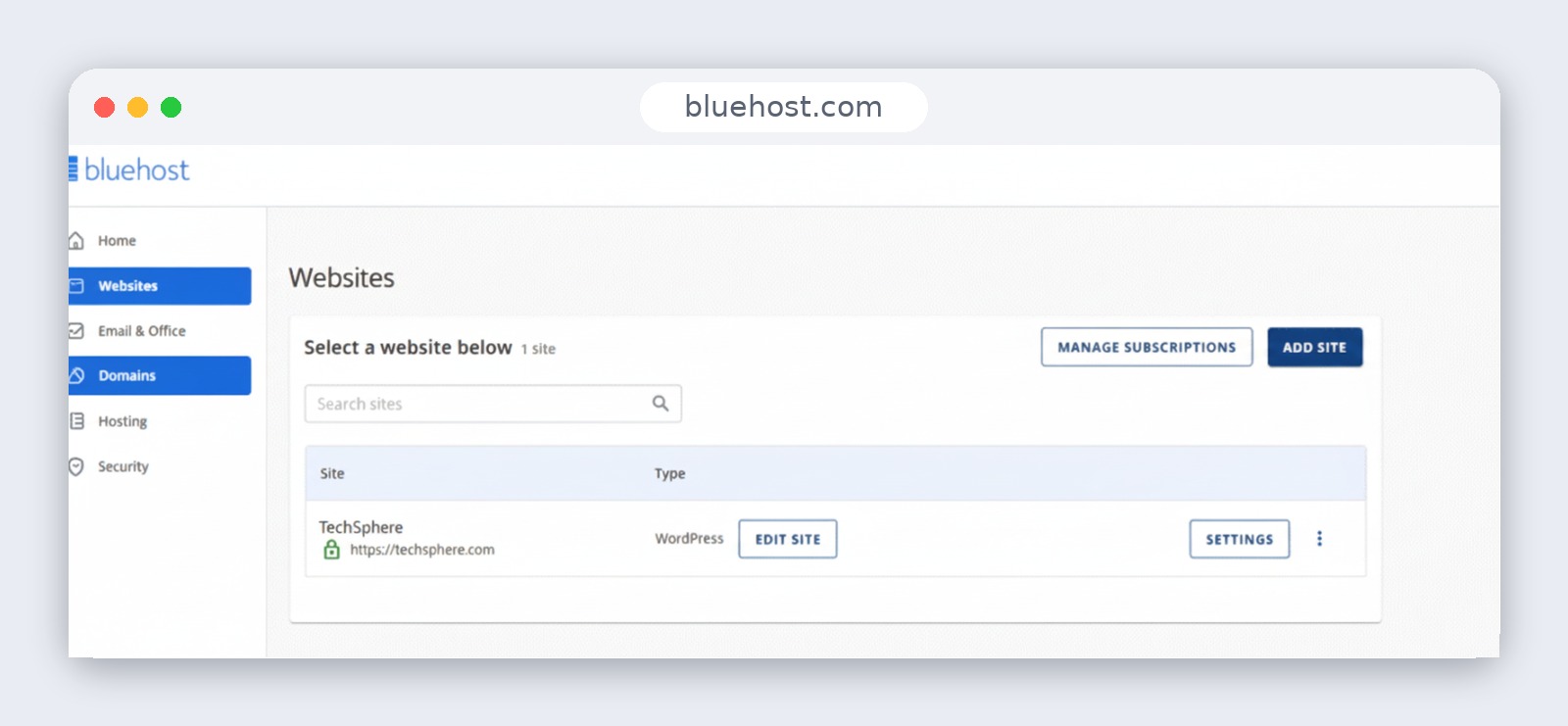
Bluehost has rebuilt its dashboard around WordPress, and it shows. You log in and land close to your site, with a guided setup that creates your WordPress install, walks you through basic settings and points you at a theme. For a first-time site owner, it is the friendlier of the two.
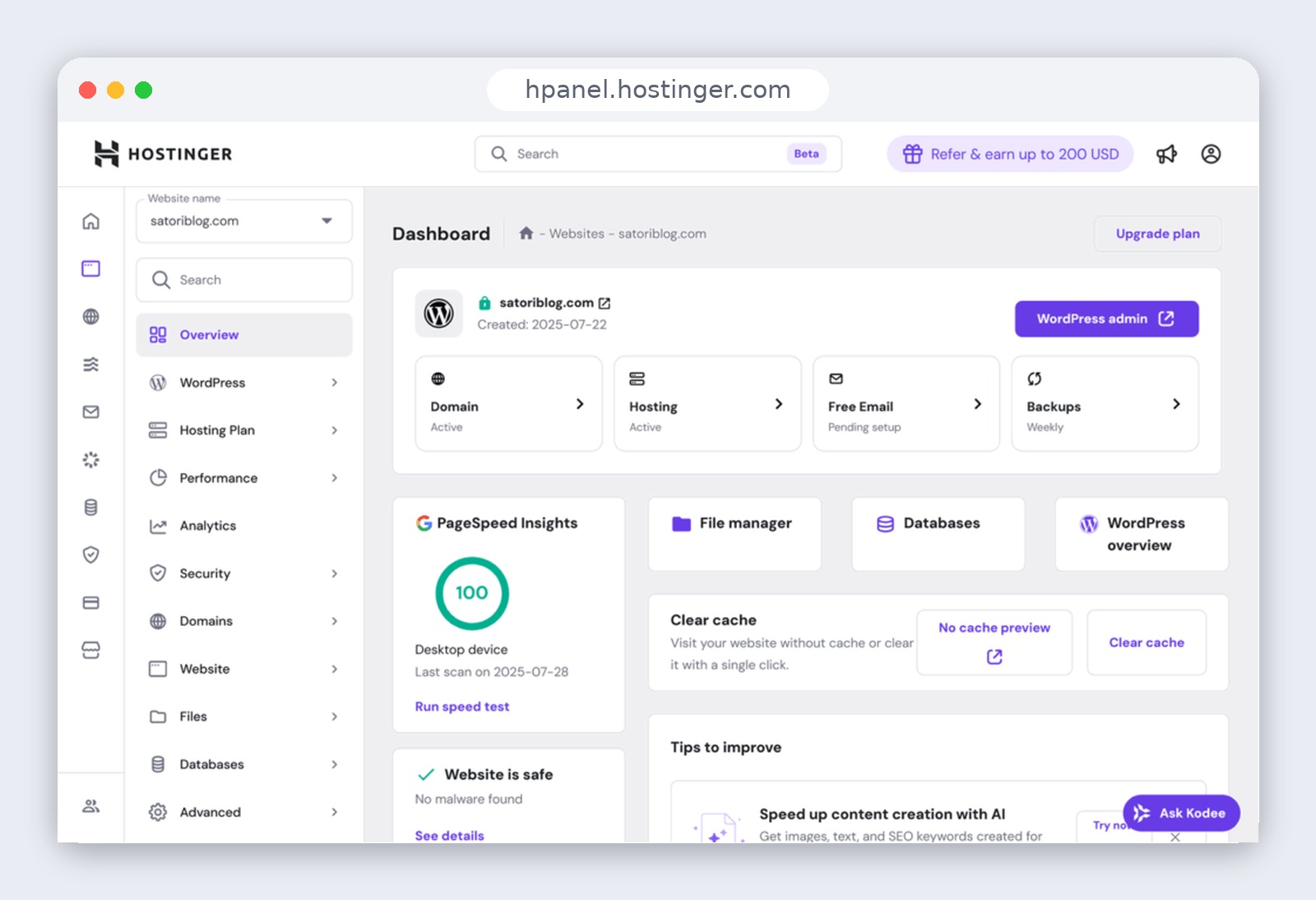
Hostinger uses its own panel, called hPanel. It is clean, fast and arguably better organised than the old cPanel most hosts still use, with one-click installs, file access, databases and email all in one place. It takes an afternoon to learn if you have never used hosting before, but experienced users tend to prefer it.
Honest answer: beginners will feel at home faster on Bluehost. Anyone who has managed a site before will be happier on hPanel.
WordPress features
Bluehost’s strongest card is its relationship with WordPress itself. WordPress.org has recommended Bluehost since 2005, and the onboarding, staging and update tools are all built around how WordPress works. If a tutorial says “click this button in your hosting panel,” it often assumes Bluehost.
Hostinger counters with tools that matter once your site is running: a proper staging environment on Premium and above, automatic WordPress updates you can control per site, and the LiteSpeed Cache plugin handling page cache, image optimisation and CDN settings in one place. On paper Bluehost is the WordPress specialist. In daily use, Hostinger’s toolkit is at least as good, and the performance tooling is better.
New to the platform itself? Our beginner-friendly explainer on why WordPress powers 43% of the web is worth five minutes before you choose a host.
Security and backups
Both hosts give you a free SSL certificate, which is the minimum any site needs. Beyond that, the details split.
On backups, Hostinger includes weekly backups on Premium and daily backups on Business, and restoring one is a couple of clicks in hPanel. On Bluehost, automatic daily backups only arrive with Choice Plus and above. Basic plan users are expected to handle backups themselves or pay for an add-on, and “I will back it up myself” is a promise most people quietly break.
On security, Hostinger includes a malware scanner and a web application firewall across its shared plans. Bluehost covers the basics, then sells stronger protection as an add-on at checkout. Neither host replaces a proper WordPress security plugin, but Hostinger includes more of the safety net in the price.
Support
Bluehost offers 24/7 support by live chat and phone. If you are the kind of person who wants to talk to a human when your site is down, that matters, and Hostinger cannot match it.
Hostinger support is live chat and email only. The good news is that the chat team is generally quick and technically solid, and their help centre articles are detailed enough that you often will not need to ask. But there is no phone line, and during busy periods chat queues can stretch.
If phone support is a deal-breaker for you, this section decides the whole comparison. Pick Bluehost. Otherwise, Hostinger’s chat support is good enough for most site owners.
Uptime, reliability and money-back guarantees
Both hosts advertise a 99.9% uptime commitment, which works out to roughly 43 minutes of allowed downtime a month. In practice, both are large, mature operations and serious outages are rare on either. For a business site or a growing store, the realistic difference between them here is small.
The safety net is similar too. Bluehost offers a 30-day money-back guarantee on hosting, and Hostinger offers 30 days as well. With both, domain registration fees are not refunded, and if you claimed the free domain, its cost may be deducted. Read that line before you cancel anything, whichever host you choose.
Bluehost pros and cons
Pros
- Recommended by WordPress.org since 2005
- Beginner-friendly dashboard and guided WordPress setup
- 24/7 support by phone as well as chat
- Free domain for the first year
Cons
- Daily backups only on higher plans
- Renewal prices at the top of the budget range
- Checkout add-ons can inflate your first bill
- Slower than Hostinger on entry plans
Hostinger pros and cons
Pros
- LiteSpeed servers make WordPress sites genuinely fast
- More websites and storage on the entry plan
- Weekly backups included, daily on Business
- Clean, modern hPanel dashboard
Cons
- Best price needs a 48-month upfront payment
- No phone support
- Renewal price still roughly triples the intro price
Who should pick which?
Pick Hostinger if you want the fastest site for the money, plan to run more than one website, or are comfortable managing things through live chat and documentation. It is also the better long-term home for a WooCommerce store on a budget, where load speed directly affects sales. Most readers should start with the Current Hostinger plans and pick Premium, or Business if the store is your income.
Pick Bluehost if this is your first website, you want WordPress’s officially recommended host, and you value being able to phone someone when you get stuck. Just budget for the renewal price from day one, and untick the add-ons you do not need at Bluehost’s checkout.
If neither host is right for you
Two alternatives are worth knowing about. SiteGround costs more than both, but its support is the best in shared hosting and its WordPress tools are excellent, which makes it a strong pick for business sites that cannot afford downtime. Cloudways is a step up in power and complexity: managed cloud servers from providers like DigitalOcean and Vultr, priced from around $14 a month, better suited to growing stores and agencies than to a first blog.
Neither changes the verdict below for most people. They are simply the next rung up if your site outgrows shared hosting.
Final verdict
Bluehost is a good host with a famous name, and beginners will not go wrong with it. But on the numbers that decide most purchases, price, speed, storage and included backups, Hostinger Premium is the stronger plan, and Hostinger Business is the one we would spend our own money on. That is why Hostinger takes this comparison, 9.1 to 8.7.
Whichever you choose, decide based on the renewal price, not the headline price. The intro discount lasts one term. Your website has to live with the host for years. If you are ready to start, check the latest Hostinger deal before the current discount rotates.
Frequently asked questions
Is Bluehost or Hostinger better for WordPress?
Hostinger is better for most WordPress sites because of its LiteSpeed servers and stronger entry-plan features. Bluehost is better if you are a complete beginner who wants guided setup and phone support.
Why is Hostinger so cheap?
The headline price is an introductory rate for a long first term, usually 48 months paid upfront. When the plan renews, it costs about $10.99 a month, which is in line with the rest of the industry.
Do I have to pay for four years upfront with Hostinger?
Only if you want the lowest monthly price. Shorter terms are available, but the per-month cost rises as the term gets shorter. The 48-month term is where the real saving sits.
Does Bluehost offer phone support?
Yes. Bluehost provides 24/7 support by phone and live chat. Hostinger offers live chat and email only, with no phone option.
Can I migrate my existing site to Hostinger or Bluehost?
Yes. Hostinger offers free website migrations from its panel, and Bluehost provides migration tools and paid migration services. Always take a full backup of your site before starting any move.
Which host is better for an online store?
Hostinger, for most small stores. Its faster servers and included caching help product and checkout pages load quickly, and the Business plan adds daily backups and a CDN for a modest step up in price. Stores that outgrow shared hosting usually move up to a managed cloud option like Cloudways rather than switching between shared hosts.
Do Bluehost and Hostinger both offer a money-back guarantee?
Yes, both offer 30 days on hosting plans. Domain fees are excluded, and the cost of a free domain claimed during signup may be deducted from the refund.

 WordPress
 Elementor